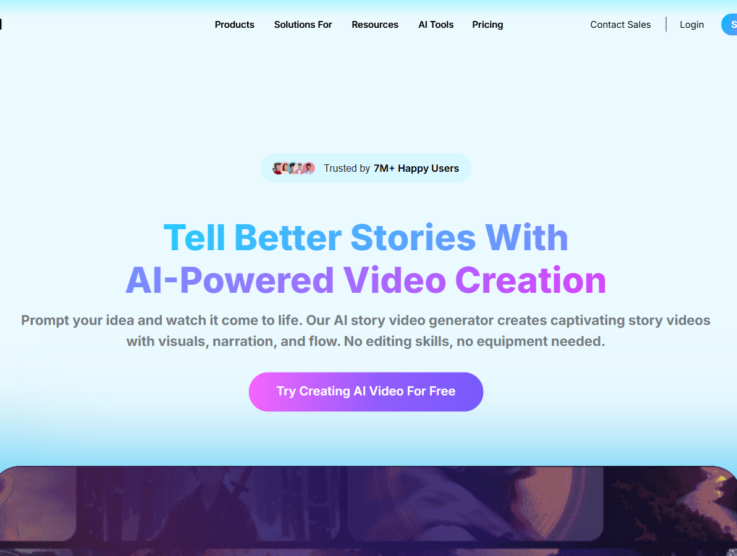

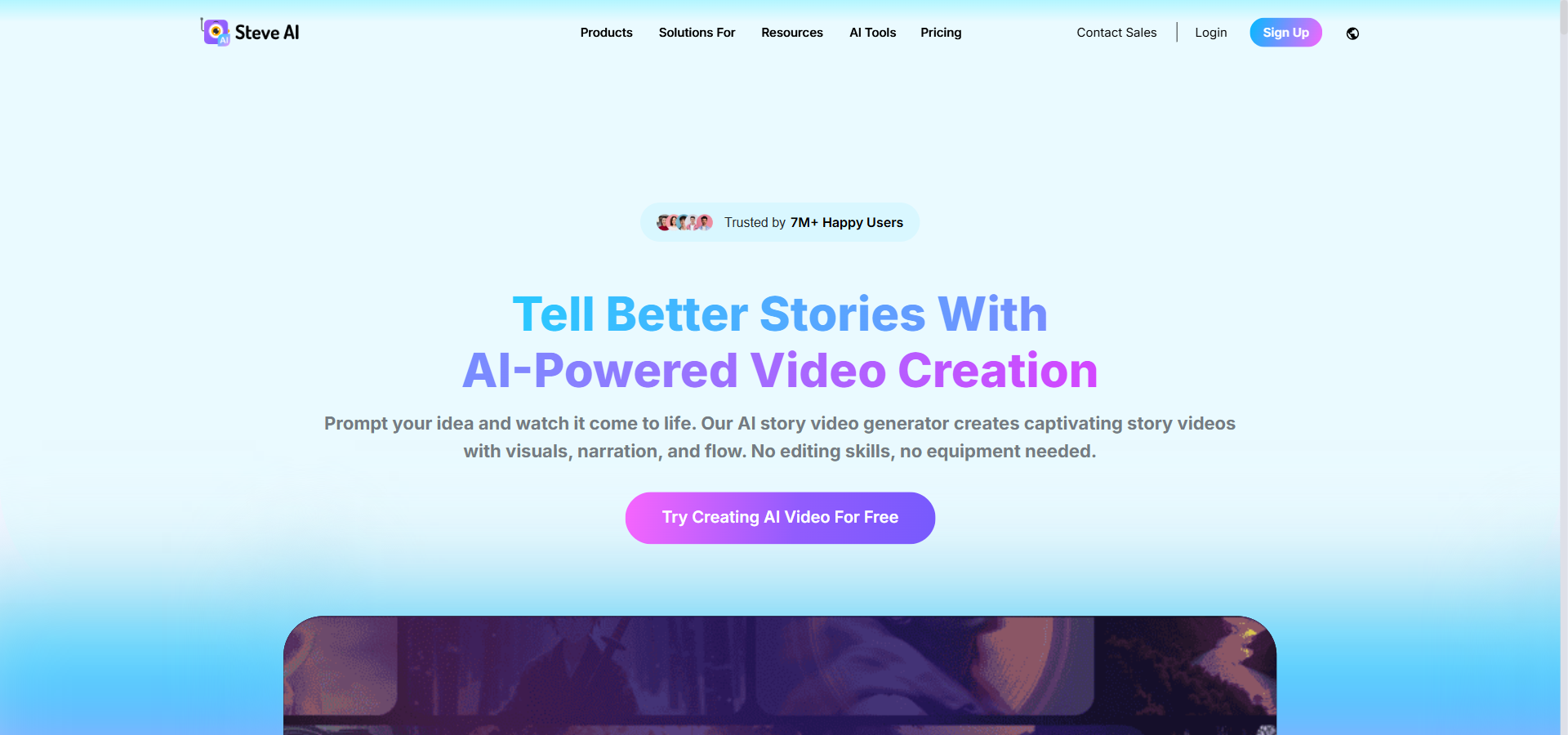
Steve AI pricing starts at $29/month and promises to turn your written text into finished videos with almost no manual editing. Video production normally takes too much time, requires good cameras, and forces you to learn complex editing software. Steve AI steps in to solve this by automating the entire process. Within minutes, you can generate a script, apply one of 140 million Getty stock assets, and add a human-sounding AI voiceover to match.
This approach makes it a direct rival to other popular video generators like Pictory and InVideo AI. Using a tool like this can easily save you hours of manual editing each week. But is this automated video maker actually good enough to replace a human editor, or do the results look robotic?
This Steve AI review explores the platform’s core features, actual monthly costs, and how it compares to top alternatives in 2026. I also ran a hands-on test to see exactly how well it converts a simple blog post into a polished social media clip.
Quick Answer: Is Steve AI Worth It?
Steve AI Overview
To give you a quick summary, this section outlines Steve AI’s key attributes, including who it is designed for, its starting price, standout features, and the plan we believe offers the best overall value.
| Best for | Faceless YouTube creators, educators, and lean marketing teams |
|---|---|
| Starting cost | $29/month (Starter plan) |
| Hero features | Text-to-video automation, 2D animated characters, AI voiceovers, and scene-level control |
| ROI sweet-spot plan | Pro Plan at $59/month – unlocks 300 video minutes, 2K resolution, and better voice quality |
| Quick trial / CTA |
View Steve AI Pricing |
Steve AI Pricing & Plan Breakdown
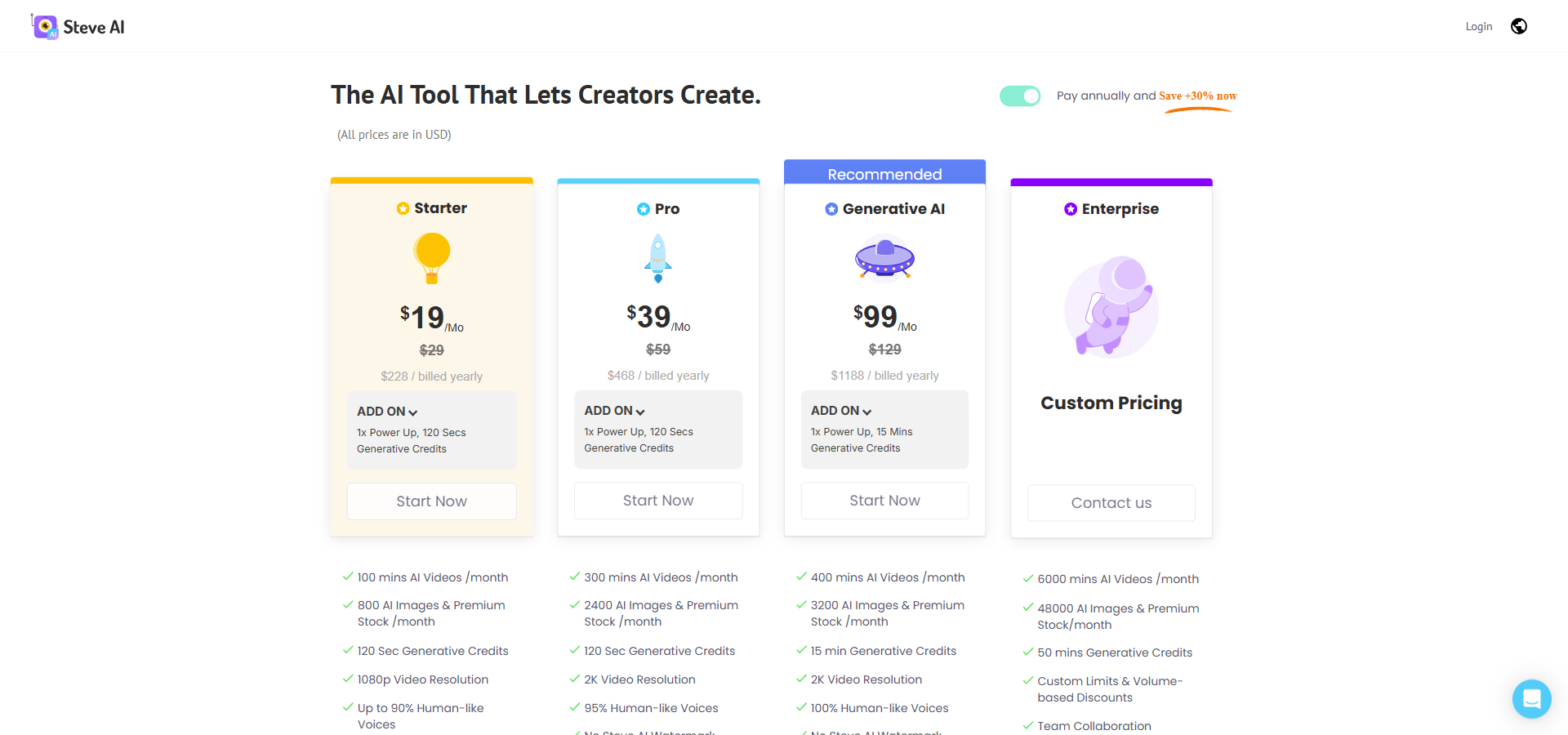
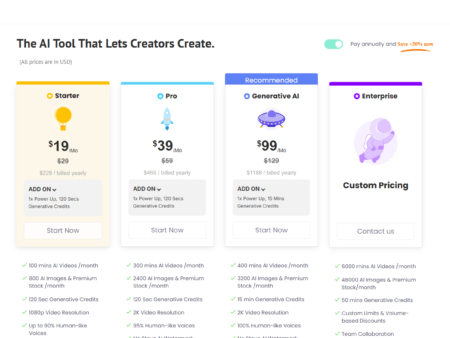
Steve AI pricing starts at $29/month on the entry-level Starter plan. If you are looking closely at the Steve AI cost, you will find four main tiers that scale based on your monthly video minutes, asset limits, and export resolution.
Starter
Billed Monthly: $29/month
Billed Annually: $19/month (billed annually at $228)
Annual Savings: $120
Features included:
- 100 mins AI Videos /month
- 800 AI Images & Premium Stock /month
- 120 Sec Generative Credits
- 1080p Video Resolution
- Up to 90% Humanlike Voices
- No Steve AI Watermark
- Unlimited Video Exports
- 300+ Animated Characters
Pro
Billed Monthly: $59/month
Billed Annually: $39/month (billed annually at $468)
Annual Savings: $240
Features included:
- 300 mins AI Videos /month
- 2400 AI Images & Premium Stock /month
- 120 Sec Generative Credits
- 2K Video Resolution
- 95% Human-like Voices
- No Steve AI Watermark
- Unlimited Video Exports
- 300+ Animated Characters
Generative AI
Billed Monthly: $129/month
Billed Annually: $99/month (billed annually at $1,188)
Annual Savings: $360
Features included:
- 400 mins AI Videos /month
- 3200 AI Images & Premium Stock /month
- 15 min Generative Credits
- 2K Video Resolution
- 100% Human-like Voices
- No Steve AI Watermark
- Unlimited Video Exports
- 300+ Animated Characters
Enterprise
Billed Monthly: Custom pricing (contact sales for a quote)
Billed Annually: Custom pricing
Annual Savings: Custom limits and volume-based discounts
Features included:
- 6000 mins AI Videos /month
- 48000 AI Images & Premium Stock/month
- 50 mins Generative Credits
- Team Collaboration
- Dedicated Infrastructure
- 4K Video Resolution
- Commercial & Reselling Rights
- No Steve AI Watermark
- AI Data Privacy & Advanced Security
- Customized Onboarding
- Branded Video Templates
- Personalized Avatars
- Custom Integrations
- Brand Media Setup – Fonts, Logos, & Colors
- Multiple Workspaces & Teams
- Org Controls, Security & SSO
The pricing structure requires you to balance your need for monthly flexibility against the desire for annual savings. Paying month-to-month makes sense if your content calendar changes often, but committing to an annual plan saves you roughly 33% across most tiers. The Starter plan at $29/month is quite affordable, but it caps you at 1080p resolution and limits your premium stock usage to 800 assets.
For most creators, the Pro plan offers the best balance of value and features. At $59/month, it triples your video generation limit to 300 minutes and unlocks 2K resolution, which is highly beneficial for professional YouTube channels. If your team relies heavily on creating hyper-realistic generative content, the Generative AI plan at $129/month increases your generative credits to 15 minutes and unlocks the most natural-sounding voices.
Large organisations that need strict brand governance and massive output limits should look at the Enterprise option. If you want more details on how these tiers compare to the broader market, I suggest reading our detailed Steve AI pricing guide for a complete breakdown of the hidden costs. Ultimately, the best plan depends purely on how many videos you publish each week.
Steve AI Features
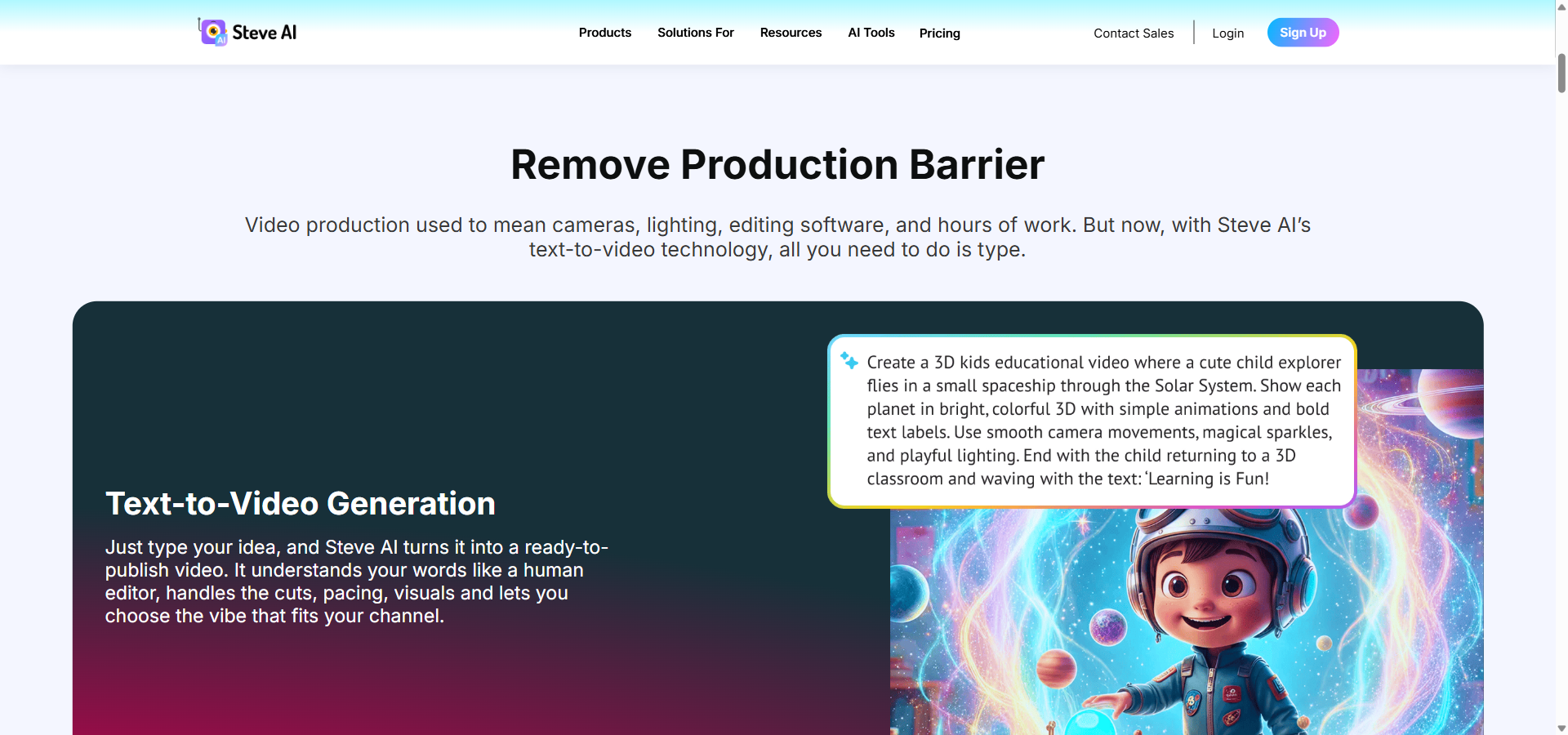
Steve AI’s strongest features focus on automating the jump from text to video while letting you adjust individual scenes easily. This section explores how the platform handles daily video creation tasks and speeds up your workflow.
Text-to-Video and Multimodal Input Engine
This core feature acts as an automated assistant that converts pasted text, scripts, or blog URLs directly into a structured video. It saves content marketers hours of work by automatically summarising articles, breaking them into scenes, and syncing them to visuals. It is incredibly useful for teams that want to recycle old blog posts into fresh social media clips without hiring a video editor.
Video Styles: Animation, Live-Action, and Generative AI
This feature is a style selector that allows you to choose between 2D animated characters, live-action stock footage, or purely AI-generated visuals for your project. Having multiple formats in one tool gives creators the flexibility to match their video style to their audience. Educators often favour the animation style for explainers, while brands usually prefer live-action stock for promotional ads.
Scene-Level Control and Editing Workspace
Scene-level control is an editing feature that lets you tweak the text, visuals, and transitions of one specific slide without regenerating the entire video. This prevents the frustration of losing your progress just because you wanted to change a single background image. It is perfect for creators who want the speed of AI generation but still need to apply manual corrections to match their exact vision.
Voiceovers, Audio, and Multi-Language Support
The audio engine is a built-in narration tool that automatically reads your script using AI voices in over 10 languages. It eliminates the need to record your own voice or pay a professional voice actor for simple videos. Social media managers benefit greatly from this, as it allows them to produce natural-sounding videos for global audiences while remaining completely faceless.
Asset Libraries, Branding, and Faceless Identity
This brand kit feature provides access to over 140 million Getty stock assets alongside a tool to save your company colours, fonts, and logos. It ensures that every automated video aligns perfectly with your corporate identity before you even hit export. Agencies and growing businesses rely on this to maintain a professional, consistent look across hundreds of monthly social posts.
Exporting, Resizing, and Publishing
The exporting suite is a formatting tool that resizes your final video into various aspect ratios like square, vertical, or widescreen with a single click. You can then push these high-definition exports directly to platforms like YouTube. This feature helps busy creators distribute the same video across TikTok, Instagram, and YouTube Shorts without editing it three different times.
Overall, the platform provides a highly capable toolset for anyone focused on speed and simplicity. The AI handles the heavy lifting of scene construction and narration smoothly. However, if your projects require complex keyframe animation or advanced colour grading, these automated features will eventually feel a bit limited.
Pros & Cons of Steve AI
Every automated video maker has trade-offs, and Steve AI is no different. Here is a clear look at the main pros and cons of Steve AI to help you set realistic expectations.
| ✔️ Pros | ❌ Cons |
|---|---|
| ✔️ Easy for beginners with no editing background | ❌ Prompt-to-video errors happen occasionally |
| ✔️ Supports 2D animation, stock, and Gen AI styles | ❌ Paid plans enforce strict usage quotas |
| ✔️ Huge library of 140 million+ Getty assets | ❌ Refund policies are reportedly very strict |
| ✔️ Scene-level editing allows quick, precise tweaks | ❌ Limited life-like avatar variety |
| ✔️ Includes direct HD publishing to YouTube | ❌ Customer support can be slow to respond |
The platform shines when you need to turn text into multiple video styles quickly, making it a major time-saver for marketers. However, the strict credit limits on lower plans and occasional technical glitches require a bit of patience during daily use.
Steve AI vs Alternatives
The top Steve AI alternatives usually focus heavily on either realistic human avatars or timeline-based transcript editing. Here is a direct comparison to see how this tool stacks up against its closest rivals on price and features.
Pictory
- Starting price: $29/month
- Key difference: Pictory is heavily focused on summarising long-form videos and extracting highlight clips, rather than creating 2D character animations.
- Value comparison: Pictory is better for podcasters who want to chop up existing recordings, while Steve AI is better for building faceless animations from scratch.
Lumen5
- Starting price: $29/month
- Key difference: Lumen5 offers excellent enterprise brand governance and slide-based editing, but it does not feature the generative AI styles or animated characters found here.
- Value comparison: Choose Lumen5 for corporate marketing and strict brand compliance, but pick Steve AI if you want more creative visual variety.
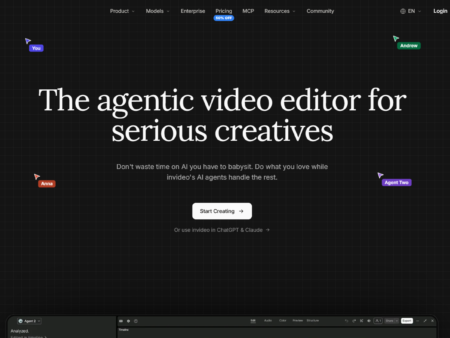
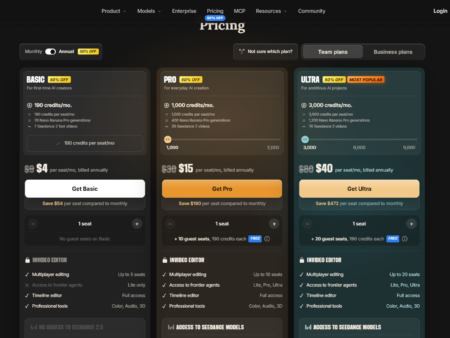
InVideo AI
- Starting price: $9/seat/month
- Key difference: InVideo AI provides a complete non-linear timeline editor and agentic workflow, giving you far more manual control over the final cut.
- Value comparison: InVideo AI suits creators who still want to manually edit their AI-generated timelines, whereas Steve AI targets those who want a fully automated, hands-off approach.
Who Should Use Steve AI?
Steve AI is best suited for people who have a message to share but lack the time or skills to operate traditional editing software. Knowing exactly who benefits from this tool can help you decide if it fits your current workflow.
- Faceless YouTube Creators: If you run automated channels covering history, finance, or stories, this platform allows you to generate daily content. The animated characters and AI voiceovers keep audiences engaged without you ever stepping in front of a lens.
- Content Marketers: Marketing teams can easily paste blog URLs into the engine to create promotional videos for social media. It speeds up content recycling and ensures written articles get a second life as engaging visual media.
- Educators and Trainers: Teachers and corporate trainers use the 2D animated styles to make dry subjects more interesting. Generating multiple lessons in different languages is much faster when the AI handles the scene syncing and subtitles automatically.
- Freelancers and Small Agencies: Solo workers managing social media accounts for multiple clients appreciate the speed of production. You can save different brand kits and pump out weekly video content without needing a massive production budget.
Hands-On Test: Here is How I Converted a Blog Post into Video with Steve AI
I walked step-by-step through Steve AI to see how well it could turn a written article into a social media clip, highlighting its wins and quirks during a real workflow test.
First, I pasted the URL of a published blog post directly into the platform’s input box. The software quickly analysed the text, pulled out the main points, and auto-generated a script broken down into distinct scenes. It took less than a minute for the AI to process the text and map out the entire storyboard, which was an impressive display of speed.
Next, I moved into the scene-level editor to review the asset choices. Steve AI matched stock footage to the text reasonably well, but I noticed a quirk: the AI can sometimes take metaphors too literally. For a sentence about “driving sales,” it inserted a video of someone driving a car. Thankfully, swapping that clip for a better one from the Getty library took just a few clicks without forcing me to rebuild the scene.
Finally, I selected a British English AI voiceover and hit export. The audio mapped smoothly to the subtitles, and the background music automatically adjusted its volume so the voice remained clear. My bottom-line insight is that the platform is incredibly fast for producing first drafts, but you should always expect to spend a few minutes manually correcting a couple of awkward visual choices before you publish.
1. Features and Functionality — 8.8/10
Our evaluation finds Steve AI unusually broad for an automated video tool. It accepts prompts, scripts, blogs, URLs, and storyboards, then combines scene generation, AI voiceovers, subtitles, music, stock media, animation, live-action footage, and generative visuals. More than 300 animated characters, a large Getty-backed asset library, brand controls, scene swapping, resizing, and direct YouTube publishing make it suitable for recurring content production rather than simple one-off experiments.
The main limitation is depth. Steve AI provides useful scene-level controls, but it is not a replacement for a full professional editor when projects require advanced compositing, detailed motion graphics, complex audio mixing, or highly customized animation. External G2 user reviews reinforce the platform’s strengths in video quality, customization, and speed, while also noting some limitations in available options and export workflows.
2. Ease of Use — 9.1/10
In our testing and analysis, Steve AI performs particularly well for beginners. The workflow moves logically from input selection to script generation, visual style, voice, scene editing, and export. Automatic asset matching, narration, captions, transitions, and resizing reduce the amount of manual production work required. The interface supports quick first drafts while still allowing users to revise individual scenes instead of rebuilding an entire video.
Some refinement is still necessary when prompts are complex or when the generated visuals do not closely match a specific creative direction. Users may need to revise scripts, replace assets, and experiment with prompts, particularly for generative content. This aligns with third-party feedback: G2 reviewers generally describe the interface as intuitive and easy to navigate, while Capterra users rate Steve AI positively for simplicity and fast video creation. Capterra ratings and reviews report an overall score of approximately 4.2/5 from user reviews.
3. Pricing and Value for Money — 8.0/10
Our value assessment is favorable for users who create videos regularly. The Starter plan costs $29 per month when billed monthly, or $19 per month billed annually, and includes 100 AI-video minutes, 1080p output, unlimited exports, and no watermark. Pro costs $59 monthly or $39 monthly when billed annually, increasing the allowance to 300 AI-video minutes and adding 2K resolution and improved voice quality. The Generative AI plan costs $129 monthly or $99 monthly billed annually, with 400 AI-video minutes and 15 minutes of generative credits.
Pro offers the strongest balance for many serious creators and small teams because it substantially increases usage capacity without the much higher cost of the Generative AI tier. Enterprise provides 6,000 AI-video minutes, 4K output, collaboration, SSO, custom integrations, dedicated infrastructure, and commercial or reselling rights, but requires a custom quote.
The principal value concern is that the plans are metered across video minutes, stock assets, images, and generative credits. Users with irregular or high-volume requirements may need add-ons or a plan upgrade. External review data is broadly positive about value, though Capterra feedback also mentions free-plan restrictions, download limitations, and occasional concerns about cost relative to limitations. The availability of a free plan makes it easier to test the workflow before subscribing.
4. Performance and Reliability — 7.0/10
Our evaluation indicates that Steve AI can produce drafts quickly and meaningfully shorten the time from script to finished video. Its automated scene construction, integrated narration, asset selection, and cloud-based workflow are productive for repeatable marketing, educational, and social-media content.
Reliability is the weakest category. External user feedback includes reports of asset-fetching failures, video-setting errors, buffering, slow performance, publishing problems, and inconsistent download experiences. Other reviewers report fast generation and satisfactory output quality, so the experience appears uneven rather than uniformly poor. Support is praised by some users but criticized by others for slow or generic responses, and refund experiences are not consistently viewed positively.
For non-critical content production, this trade-off may be acceptable. Teams with strict publishing deadlines or mission-critical training workflows should use the free plan to test their specific formats, assets, export requirements, and publishing process before making a paid commitment.
| Category | Score (out of 10) |
|---|---|
| Features & Functionality | 8.8 |
| Ease of Use | 9.1 |
| Pricing & Value | 8 |
| Performance & Reliability | 7 |
| Overall average score: 8.2 out of 10 | 8.2 |
Steve AI is best suited to creators, educators, marketers, and small-to-midsize teams that prioritize speed, ease of use, and faceless multi-style video production. It is less suitable for advanced post-production or organizations that require consistently faultless rendering and highly predictable support.
Final Verdict: Is Steve AI Worth It?
Yes, Steve AI is absolutely worth it for non-editors who want an automated way to transform text into social media videos. If you are struggling with a busy content schedule, this platform removes the technical barriers of editing entirely.
The true value of this software lies in its massive stock library and easy-to-use scene controller. It is perfect for educators making animated explainers or marketers turning blogs into promotional clips. However, if your video strategy relies heavily on complex timelines, intricate audio mixing, or hyper-realistic human avatars, you might find it somewhat restrictive.
For small teams running a faceless channel, the Pro plan offers the best return on investment. I recommend testing out the free version first to see if the automated scene selection matches your creative style before committing to a paid tier.
Frequently Asked Questions About Steve AI
Reviewing the most common questions can quickly clear up any lingering doubts about the software’s capabilities. Here are the simple answers to what most users want to know.
Does Steve AI have a free plan?
Yes, Steve AI offers a free plan that lets you test out the text-to-video and prompt-to-video features without paying. However, it places strict limits on download counts, caps export quality at 720p, and places a watermark on your final videos.
How much does Steve AI cost per month?
Steve AI costs $29/month on the entry-level Starter plan when billed monthly. If you choose to pay for a full year upfront, the price drops to an effective rate of $19/month, saving you $120 annually.
What is Steve AI used for?
Steve AI is used for turning text, blogs, or scripts into finished videos automatically. Marketers, educators, and creators use it to produce faceless video content efficiently without having to manually operate complex video editing software.
Is Steve AI good for YouTube automation?
Yes, it is highly effective for running automated, faceless YouTube channels. You can easily generate daily videos using the animated characters and AI voiceovers, and the platform even supports publishing directly to YouTube in high definition.
Steve AI vs Pictory — which is better?
It depends entirely on the type of content you want to create. Steve AI is better if you want to use animated characters and multiple visual styles, while Pictory is better if your main goal is summarising long webinars into short highlight clips.
Is Steve AI worth it?
Yes, it is worth it if you lack video editing skills but need to post content frequently. As long as you are comfortable with the monthly usage quotas, it will drastically speed up your workflow and reduce your production costs.
If you are ready to see how it works for yourself, you can easily test the interface by signing up for the free plan today.