

What Is Steve AI?
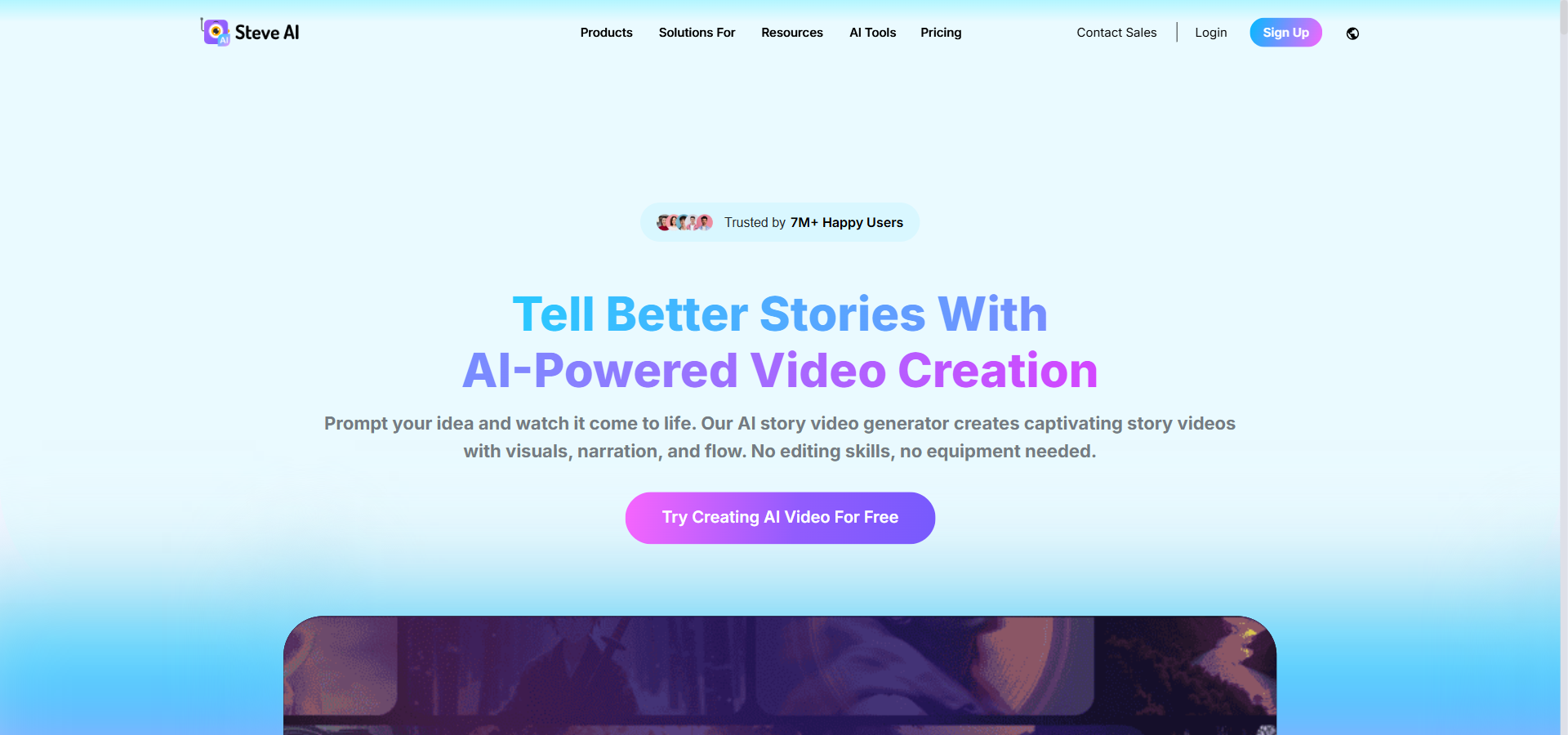
Steve AI is an AI video platform that turns written scripts and blogs into finished videos — built for marketers, educators, and faceless content creators. It automates the video production pipeline by handling scene composition, voiceovers, and visual selection in a single browser-based workspace. This removes the need for cameras, lighting setups, or complex timeline editing software.
The platform stands out with its scene-level text editing, a library of over 300 custom animated characters, and integrated access to 140 million Getty assets. Pricing starts at $29/month for the Starter plan, which includes 100 minutes of AI video generation and 1080p exports.
While competitors like Synthesia focus heavily on realistic human avatars, Steve AI gives creators broader visual flexibility with 2D animation, live-action stock footage, and generative AI styles. Below is a complete breakdown of the platform’s pricing, features, and alternatives, updated for 2026.
Steve AI Overview
This snapshot outlines the essential details of Steve AI, giving you a quick look at who it fits best, its monthly starting price, its core features, and which plan delivers the most value.
| 👤 Best for | Marketers, educators, content creators, and small businesses |
|---|---|
| 💵 Starting cost | $29/month (Starter plan) |
| ⚡ Hero features | Text-to-video generation, 300+ animated characters, scene-level editing, multilingual voiceovers, direct YouTube publishing |
| 📈 ROI sweet-spot plan | Pro Plan at $59/month – unlocks 2K exports and 300 minutes of AI video |
| 🧪 Free plan or trial | Free plan available • 1,200 seconds of AI video included |
| 🎯 Use cases | Explainer videos, social media clips, employee training, faceless YouTube channels |
| 🚀 Quick trial / CTA |
Try Steve AI Free Now |
Pros & Cons of Steve AI
See what users appreciate and what to watch out for when using Steve AI for your video production.
| ✔️ Pros | ❌ Cons |
|---|---|
| ✔️ Allows beginners to easily generate videos directly from text prompts or blogs | ❌ Users report occasional errors when fetching assets or rendering files |
| ✔️ Offers multiple visual styles, including 2D animation, live-action stock, and generative AI | ❌ Customer support and refund policies are often inflexible |
| ✔️ Provides unique scene-level editing control via text descriptions | ❌ Avatar realism falls behind dedicated avatar platforms like Synthesia |
| ✔️ Includes integrated access to over 140 million Getty assets without external sourcing | ❌ Usage quotas on lower plans can restrict prolific creators |
| ✔️ Multi-language support allows for quick localization of training and marketing content | ❌ Website performance can occasionally slow down during heavy generation tasks |
Steve AI shines in its variety of visual styles and ease of use, but buyers must be comfortable navigating occasional performance glitches. If speed and faceless animation are your priorities, the pros easily outweigh the technical trade-offs.
Steve AI Pricing Plans
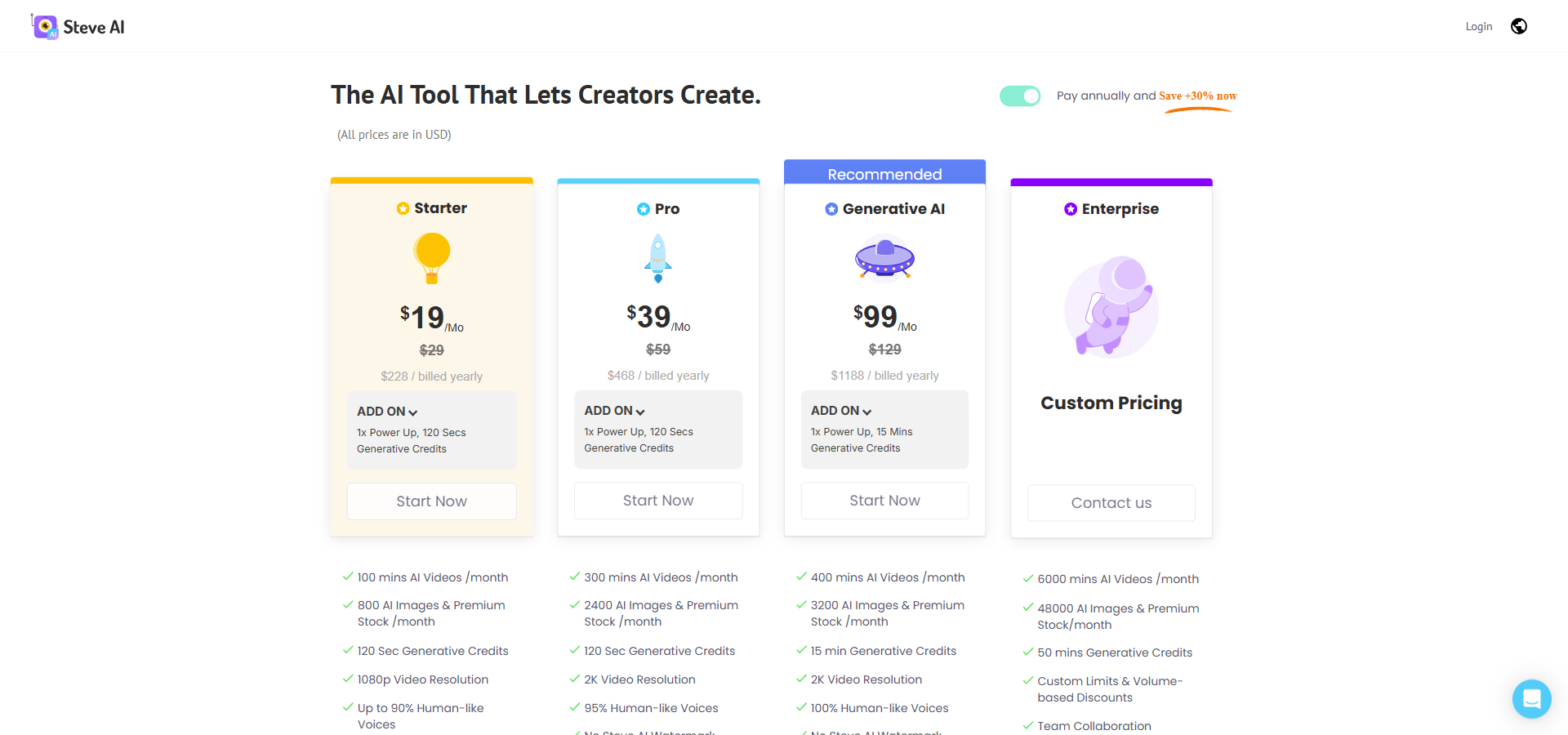
Steve AI operates on a usage-metered pricing model based on AI video minutes, asset quotas, and export resolution. The platform offers four main pricing tiers to accommodate different production volumes.
Starter
Billed Monthly: $29/month
Billed Annually: $19/month (billed annually at $228)
Annual Savings: $120
Features included:
- 100 mins AI Videos /month
- 800 AI Images & Premium Stock /month
- 120 Sec Generative Credits
- 1080p Video Resolution
- Up to 90% Humanlike Voices
- No Steve AI Watermark
- Unlimited Video Exports
- 300+ Animated Characters
Pro
Billed Monthly: $59/month
Billed Annually: $39/month (billed annually at $468)
Annual Savings: $240
Features included:
- 300 mins AI Videos /month
- 2400 AI Images & Premium Stock /month
- 120 Sec Generative Credits
- 2K Video Resolution
- 95% Human-like Voices
- No Steve AI Watermark
- Unlimited Video Exports
- 300+ Animated Characters
Generative AI
Billed Monthly: $129/month
Billed Annually: $99/month (billed annually at $1,188)
Annual Savings: $360
Features included:
- 400 mins AI Videos /month
- 3200 AI Images & Premium Stock /month
- 15 min Generative Credits
- 2K Video Resolution
- 100% Human-like Voices
- No Steve AI Watermark
- Unlimited Video Exports
- 300+ Animated Characters
Enterprise
Billed Monthly: Custom pricing (contact sales)
Billed Annually: Custom pricing
Annual Savings: Not available
Features included:
- 6000 mins AI Videos /month
- 48000 AI Images & Premium Stock/month
- 50 mins Generative Credits
- Custom Limits & Volume-based Discounts
- Team Collaboration
- Dedicated Infrastructure
- 4K Video Resolution
- Commercial & Reselling Rights
- No Steve AI Watermark
- AI Data Privacy & Advanced Security
- Customized Onboarding
When evaluating Steve AI pricing, the Pro plan offers the most practical balance of video minutes and 2K export quality for serious creators. The Steve AI free plan is helpful for testing the interface, but active users will quickly need a paid subscription to remove the watermark and download files locally.
Steve AI Key Features
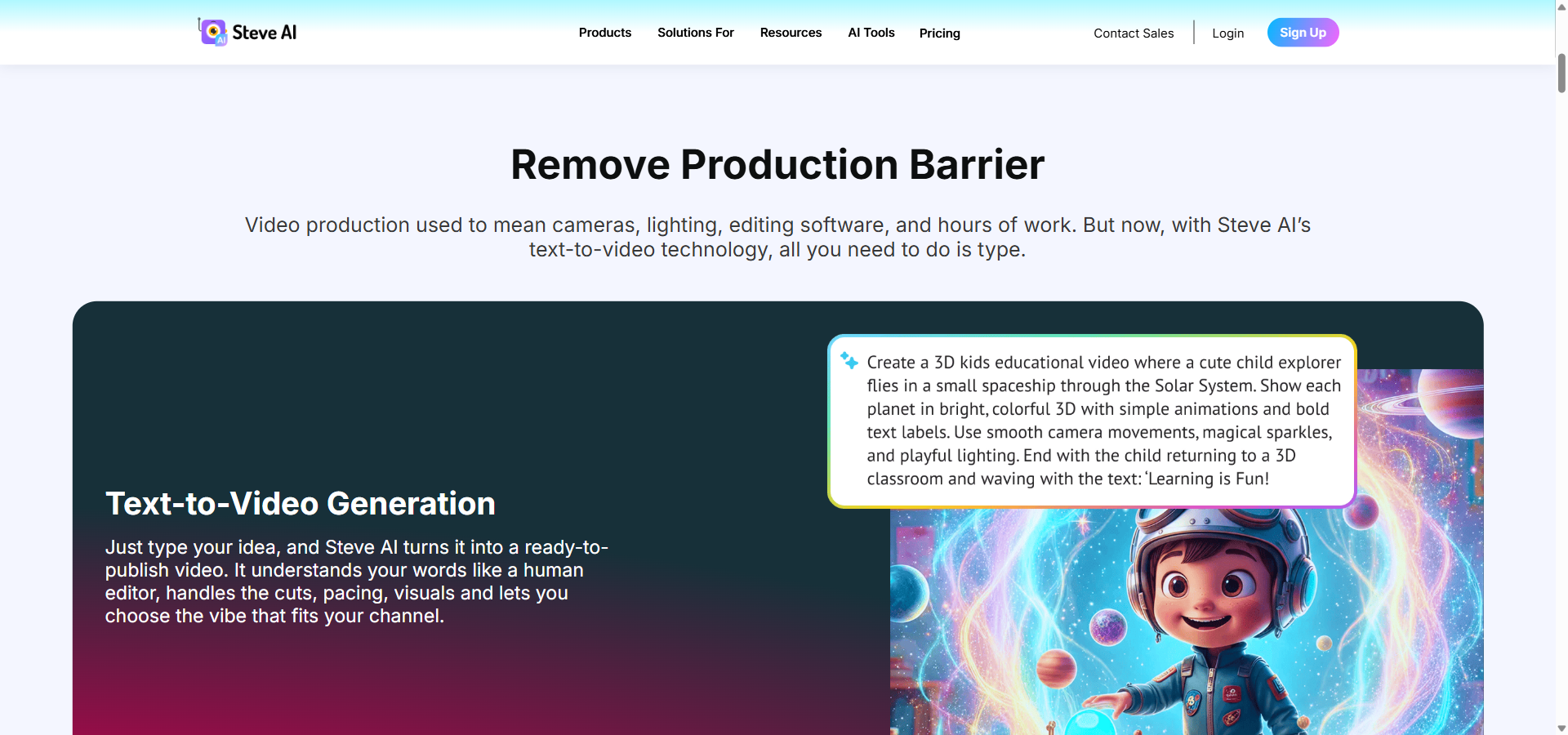
Steve AI’s most-used features are its text-to-video engine and its varied visual styles — all designed to help non-editors produce content quickly. Here is a breakdown of the platform’s core capabilities.
- Text-to-Video Generation is an automated engine that converts typed ideas or pasted scripts into ready-to-publish videos. This saves teams hours of manual storyboard planning and media hunting.
- Convert Website URLs and Blogs into Videos is a repurposing tool that transforms published web articles into optimized video clips. Content marketing teams use this to turn their SEO articles into social media content quickly.
- Prompt-to-Video is a rapid creation workflow that turns short text descriptions into full scripts and visuals. It is ideal for creators who want to test video hooks without writing full scripts first.
- Full Scene-Level Control is an editing interface that lets you adjust specific scenes via text descriptions rather than regenerating the entire video. This gives users precise control over individual frames while saving rendering time.
- Custom Scene Swaps and Switching is a timeline feature that allows you to instantly reorder or replace entire scenes. This makes it easy for marketers to test different video intros or narrative flows.
- Animated Style is a visual option that uses 2D characters and motion graphics to tell a story. Educators and trainers rely on this for explainers and tutorials where real footage is not necessary.
- Live-Action Style is a production mode that uses stock footage of real people and places to match your narrative. This works perfectly for corporate overview videos and promotional ads.
- Generative AI Style is an aesthetic mode that creates original images and clips directly from text prompts. It provides highly unique, customized visuals for creators who want to avoid generic stock media.
- 100% Human-Like AI Voiceovers is an audio feature that generates natural narration without requiring a human voice actor. Faceless channel creators use this to narrate stories professionally in multiple tones.
- Multi-Language Support is a localization tool that generates video narration in more than ten different languages. Global companies use this to translate their internal training materials for international staff.
- Auto-Subtitles is an accessibility feature that automatically generates text captions matching your voiceover timing. This boosts engagement on social media where viewers often watch with the sound muted.
- 300+ Custom 2D Animated Characters is an avatar library that lets you select cartoon-style presenters for your videos. This allows brands to maintain a consistent visual identity without hiring actors.
- Custom Brand Kit is a design management tool that stores your brand colours, fonts, and logos in one place. It ensures every video your team produces looks visually consistent.
- Direct YouTube Publishing is a distribution integration that pushes high-definition videos straight from your workspace to your YouTube channel. This eliminates manual downloading and uploading steps for frequent publishers.
- One-Click Video Resizing is a formatting feature that automatically adapts a widescreen video into vertical formats for platforms like TikTok or Instagram. It adjusts framing and text placement automatically so you do not have to edit twice.
Top 5 Alternatives to Steve AI
If Steve AI does not fit your production style, several other platforms tackle AI video generation from different angles. Here is how Steve AI compares to the best alternatives on the market.
Fliki AI
Starting price: $28/month. Free plan available.
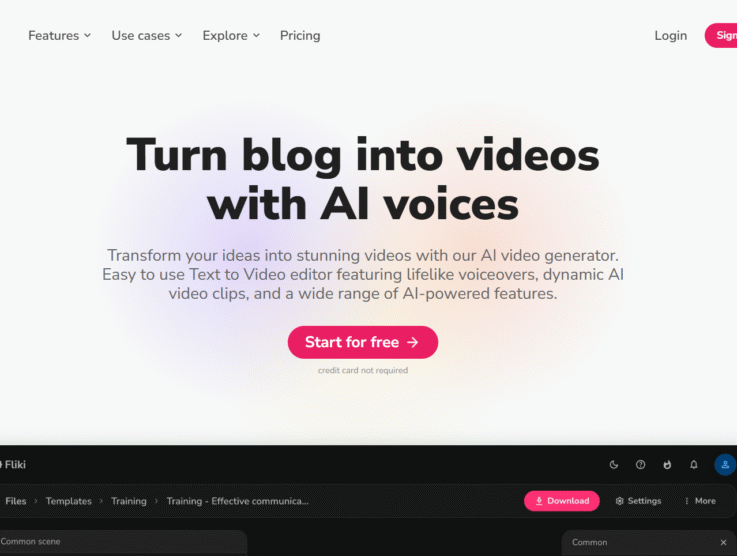
Fliki is a text-to-video and text-to-speech platform with highly realistic voices and strong multi-language support.
Pick Fliki AI over Steve AI if you need a wider variety of AI voices and podcast-style audio tools.
Lumen5
Starting price: $29/month. Free plan available.
Lumen5 specializes in turning blog posts into polished social media clips using high-end stock footage.
Pick Lumen5 over Steve AI if your primary goal is repurposing corporate blog content for LinkedIn.
Synthesia
Starting price: $29/month. Free plan available.
Synthesia focuses entirely on realistic, human-like AI avatars for professional presentations.
Pick Synthesia over Steve AI if you are building formal corporate training videos that require a lifelike human presenter.
Pictory
Starting price: $29/month. 14-day free trial.
Pictory excels at automatically extracting short highlight clips from long-form webinars or Zoom recordings.
Pick Pictory over Steve AI if you are cutting long videos into shorts rather than generating videos from text.
InVideo AI
Starting price: $9/seat/month. No free plan shown on pricing page.
InVideo AI provides a complete agentic video editor that handles scriptwriting, stock selection, and complex timeline editing.
Pick InVideo AI over Steve AI if you need deep, multi-track timeline editing alongside your AI generation.
Steve AI holds its own by offering a hybrid of 2D animation and live-action stock generation, which many text-to-video competitors lack. However, if you strictly need human-like avatars, Synthesia remains the industry standard.
Steve AI Use Cases
Marketing teams use Steve AI to transform campaign landing pages and blogs into promotional social media clips without hiring an agency. Educators and trainers rely on the animated characters to build engaging e-learning modules without needing to step in front of a camera. Faceless YouTube creators use the text-to-video engine to publish consistent daily content, such as finance tips or history stories, avoiding the learning curve of complex timeline editing software.
My Verdict on Steve AI
Steve AI justifies its subscription cost — but only for teams focused on high-volume, faceless content. If your team plans to produce 10 to 15 social clips or explainer animations a month, the $59/month Pro plan pays for itself quickly in saved editing hours.
For highly polished corporate training content with human presenters, you should skip it and use Synthesia instead. Steve AI is the right call for quick, animated storytelling and blog-to-video automation — the wrong call if you need cinematic realism or complex timeline adjustments.
FAQ about Steve AI
Is Steve AI free?
Yes, Steve AI has a free plan. It allows you to generate up to 1,200 seconds of AI video, but exports will include a Steve AI watermark and are limited in resolution.
How much does Steve AI cost per month?
Steve AI costs $29/month for the Starter plan when billed monthly. The Pro plan costs $59/month, and the Generative AI plan costs $129/month.
Does Steve AI have a free trial?
Yes, the free plan functions as an ongoing free trial. You can test the text-to-video tools and publish directly to YouTube, but local watermark-free downloads require a paid upgrade.
What is Steve AI used for?
Steve AI is used for creating animated explainers, promotional marketing clips, and social media shorts. It automatically turns text prompts or blog URLs into fully edited videos without requiring traditional video editing skills.
Steve AI vs Synthesia — which is better?
Synthesia is better for creating corporate training videos with realistic human avatars. Steve AI is better for faceless content creators who prefer 2D animated characters, live-action stock footage, and fast text-to-video workflows.