
Synthesia Review 2026: Features, Pricing, and Hands-On Test
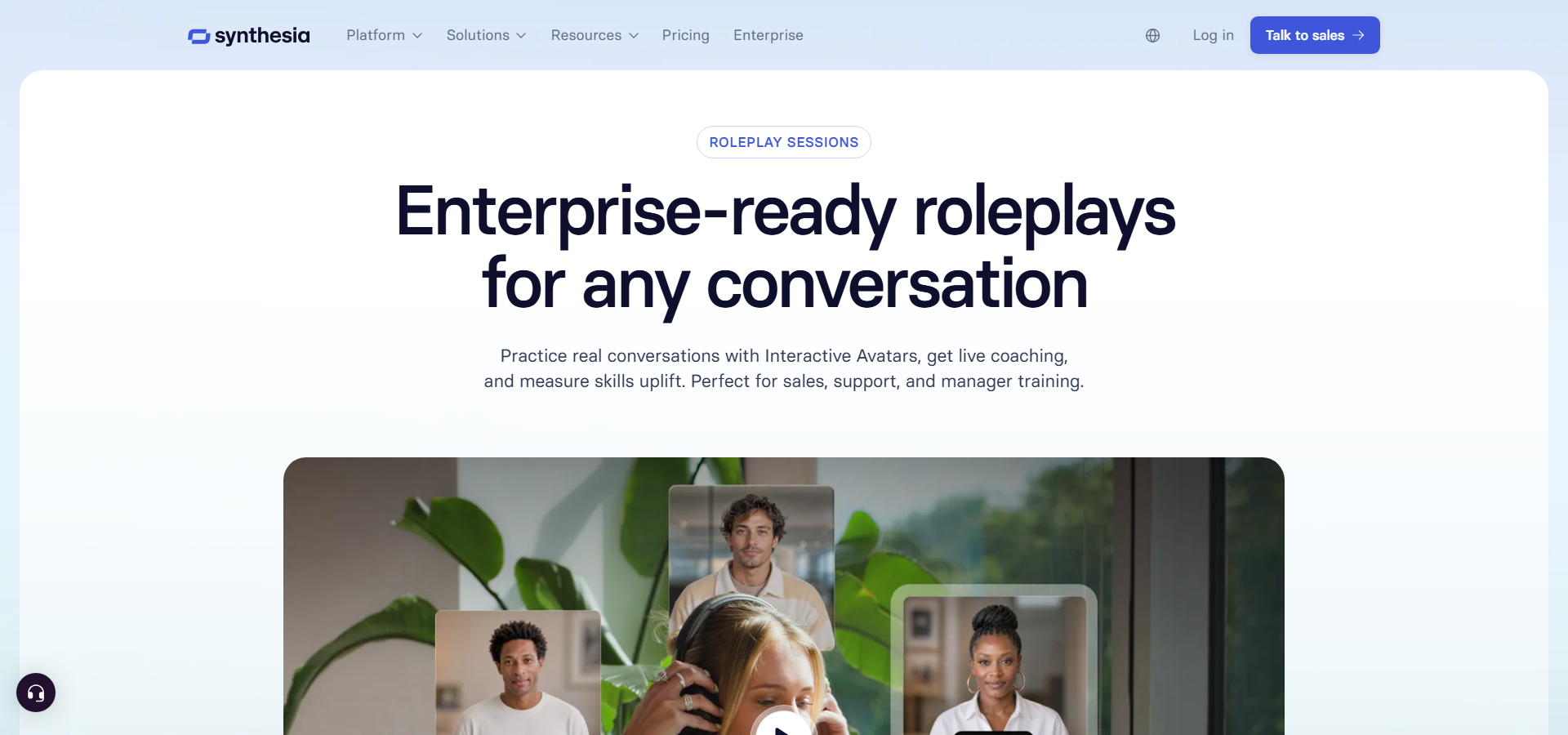
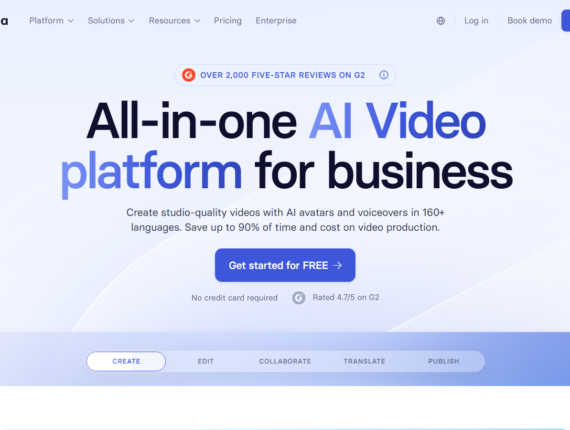
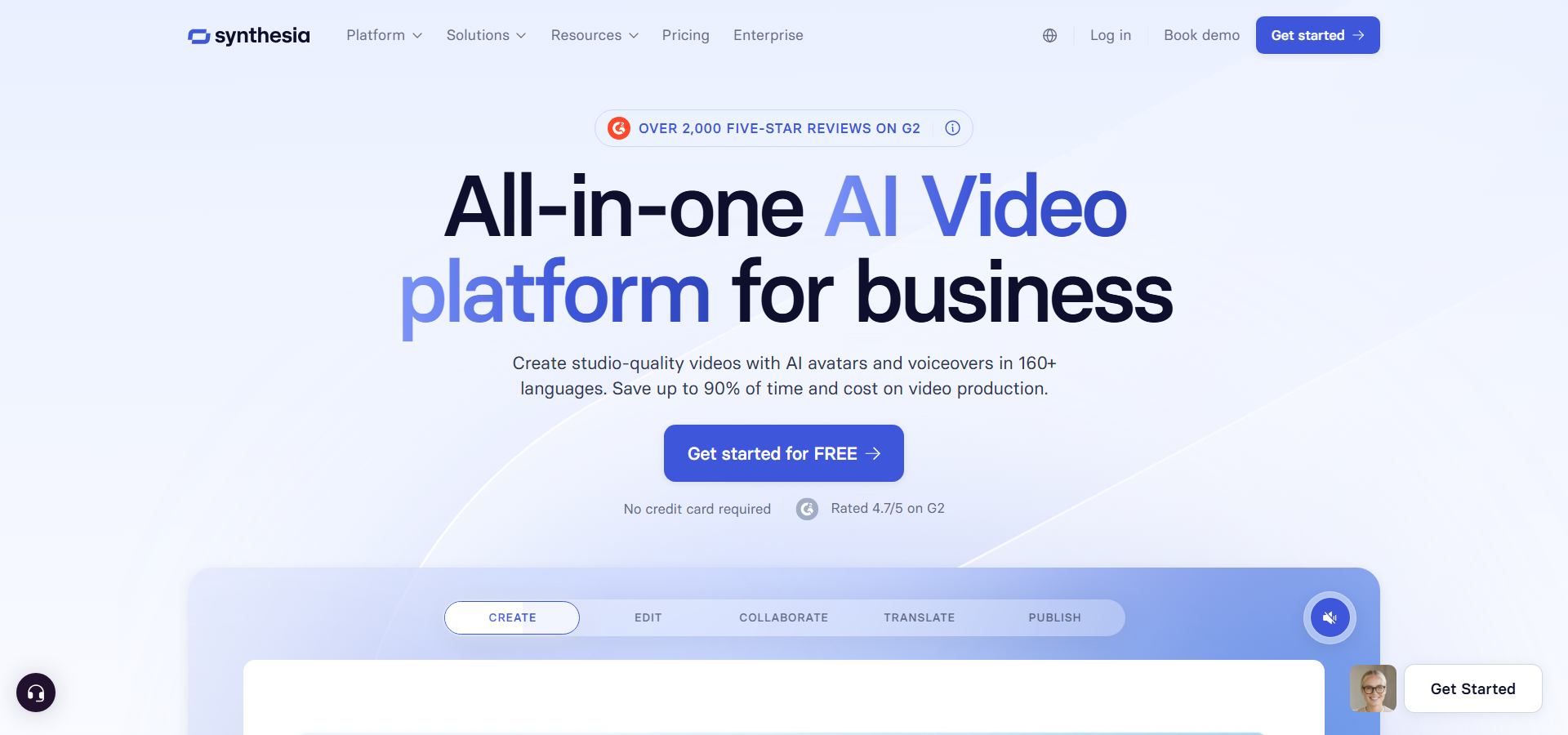
Synthesia pricing starts at $29/month on the Starter plan, offering a text-to-video workflow that removes the high cost and time requirements of traditional video production. Instead of renting studios and hiring actors, you type a script and let digital presenters do the talking. The platform includes 160+ languages and voices, Express-2 Avatars that gesture naturally, and SCORM export tools for corporate learning. I found that the Starter plan limits you to 10 minutes of video per month, which forces you to plan your content carefully. When comparing it to alternatives like HeyGen and Colossyan, it became clear that this software leans heavily toward enterprise compliance. Is it the right fit for your daily video production needs?
In this review, we look at how much the software actually costs, which features matter most, and how it stacks up against competitors. We did a test on the platform to build a real compliance training module, and I will share exactly how the tools handle the process.
Synthesia Overview
To give you a quick summary, this section outlines Synthesia’s key attributes, including who it is designed for, its starting price, standout features, and the plan we believe offers the best value.
| Best for | Learning and development teams, HR departments, and corporate communications |
|---|---|
| Starting cost | $29/month (Starter plan) |
| Hero features | Express-2 Avatars, 160+ languages, SCORM export, AI Video Assistant |
| ROI sweet-spot plan | Creator Plan at $89/month – unlocks API access, interactivity, and 360 annual minutes |
| Quick trial / CTA |
Try Synthesia Free Now |
Synthesia Pricing & Plan Breakdown
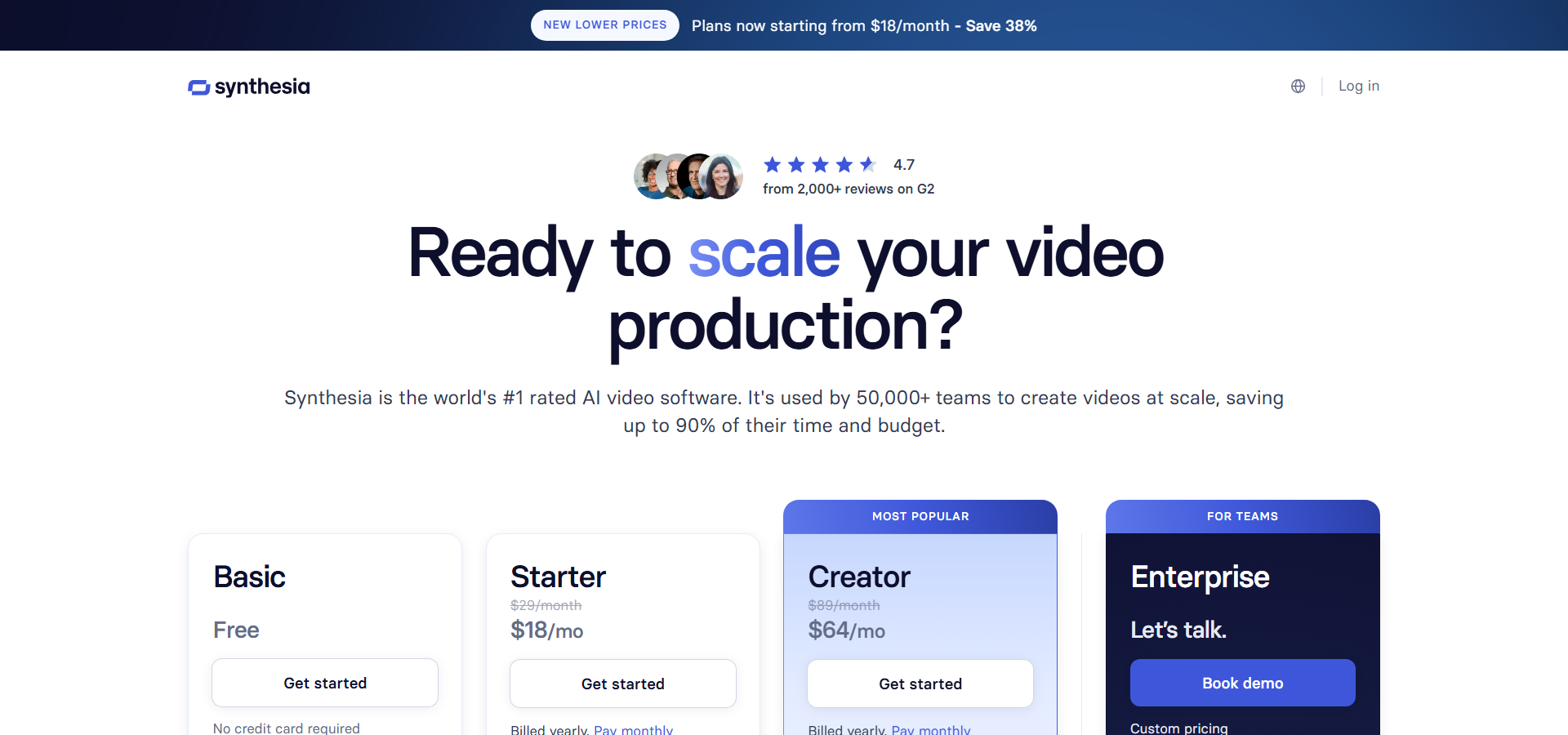
Synthesia pricing uses a tiered credit model that begins with a free plan and scales up to $89/month for professional creators, before moving to custom enterprise quotes. The plans control how many minutes of video you can generate and which collaboration tools you can access.
Basic
Billed Monthly: $0/month
Billed Annually: $0/month (billed annually at $0)
Annual Savings: $0
Features included:
- Generates up to 10 minutes of video per month (1,200 credits/mo)
- Includes 25 AI-generated video assets
- Provides 1 editor seat and 9 AI avatars
- Supports 160+ languages and voices
- Accesses 70+ AI Dubbing languages
- Accepts file uploads or YouTube links for dubbing
- Preserves voice and accent with lip sync
- Supports dialogue and customizable avatars
- Allows image and video uploads alongside an AI Screen Recorder
- Includes 60+ Synthesia templates
- Accesses a limited royalty-free media library (Pexels and Soundstripe)
- Includes auto-generated closed captions and background music
- Supports video embeds, smart updates, and PowerPoint import
- Provides regular content moderation and AI chat support
Starter
Billed Monthly: $29/month
Billed Annually: $18/month (billed annually at $216)
Annual Savings: $132
Features included:
- Generates up to 10 minutes of video or AI Dubbing per month (1,200 credits/mo)
- Includes 25 AI-generated video assets
- Downloads your videos as MP4 files
- Includes the AI Video Assistant and AI Dubbing
- Removes the Synthesia logo from outputs
- Provides 1 editor and 3 guest seats
- Grants access to 125+ Synthesia AI Avatars
- Includes up to 3 custom on-brand Personal Avatars
- Offers regular chat and email support
- Upgrades media library to include Getty Images and Icons8
Creator
Billed Monthly: $89/month
Billed Annually: $64/month (billed annually at $768)
Annual Savings: $300
Features included:
- Generates up to 360 minutes of video or AI Dubbing per year (44,000 credits/yr)
- Includes 900 AI-generated video assets
- Includes 5 Personal Avatars
- Creates branded video pages and branded share pages with CTAs
- Provides Synthesia API access (up to 360 minutes/year deducted from limits)
- Supports multiple avatars per scene and interactive videos (CTAs and branching)
- Provides 1 editor and 5 guest seats
- Grants access to 180+ Synthesia AI Avatars
- Supports custom fonts and bulk personalization
- Offers priority chat and email support
Enterprise
Billed Monthly: Custom pricing (Contact Sales)
Billed Annually: Custom pricing
Annual Savings: Not available
Features included:
- Removes usage limits for unlimited video minutes
- Enables 1-Click Translations into 80+ languages
- Grants access to 240+ stock AI Avatars and unlimited Personal Avatars
- Secures access with SAML/SSO
- Adds Live team collaboration and Brand Kits
- Unlocks SCORM export for learning management systems
- Expands AI Dubbing to 140+ languages
- Includes tailored onboarding and implementation services
- Assigns a Dedicated Customer Success Manager
- Grants access to the Enterprise community, live events, and Academy certifications
- Supports a custom number of editors and guests
- Adds interactive quizzes, branded templates, and a multilingual video player
- Protects content with password-protected and SSO-gated video pages
- Includes analytics, voiceover uploads, unrestricted editing, and a custom glossary
- Prioritizes content moderation
When evaluating the Synthesia cost, the primary decision lies between maintaining monthly flexibility and securing annual savings. The Starter plan keeps upfront costs low at $29/month, though the 10-minute monthly limit will restrict active users quickly. If you choose annual billing for the Creator plan, your cost drops from $89/month to $64/month, representing a healthy 33% discount. The Creator plan shifts from a monthly cap to an annual allowance of 360 minutes, which gives your team much more room to handle uneven production schedules without hitting a hard wall.
For freelance instructional designers, the Starter plan usually covers the essentials without adding extra cost. However, larger corporate training teams will inevitably outgrow both self-serve tiers. The jump to Enterprise becomes necessary if your team requires SCORM export, SSO security, and unlimited generation minutes. This pricing is highly competitive against traditional camera crews, though some alternatives offer unlimited generations on their mid-tier plans.
If you want to look at more specific comparisons, you can review our dedicated Synthesia pricing breakdown.
Synthesia Features
Synthesia’s feature set focuses heavily on converting text into polished presentations using digital humans and automated localization tools. Each tool solves a specific part of the business communication workflow.
Express-2 Avatars
Express-2 Avatars are AI-generated digital presenters capable of waving, pointing, and clapping based on your script content. They move beyond the stiff talking-head format of older tools, adding natural gestures that match the tone of the spoken words. This is especially useful for trainers who want to hold viewer attention during long compliance modules without distracting from the core message.
AI Dubbing and Translation
AI Dubbing is a translation feature that preserves the original speaker’s voice while matching their lip movements to a newly translated language. This allows a single English video to be converted into Spanish, French, or Japanese without losing the primary spokesperson’s identity. Multinational HR teams benefit greatly here, as they can roll out global policy updates that feel local to every branch.
Personal Avatars and Voice Cloning
Personal Avatars are custom digital twins built from a webcam recording that look and sound exactly like a specific user. This helps busy executives or subject-matter experts scale their presence across dozens of internal videos without booking repeated recording sessions. It is highly effective for internal communications teams that want messages delivered by recognizable company leaders.
SCORM Export
SCORM Export is a publishing format that packages video files with interactive tracking data for direct upload into Learning Management Systems (LMS). Rather than just hosting a video link, trainers can embed quizzes and ensure employees actually watch the required material. Corporate compliance officers rely on this to meet strict regulatory tracking requirements.
AI Video Assistant
The AI Video Assistant is an automated drafting tool that reads uploaded PDFs, slide decks, or website URLs and converts them into structured video scenes with a matching script. This allows teams to skip the blank-page phase and go straight from existing documentation to a rough video draft. It saves hours of manual data entry for product managers turning release notes into customer-facing tutorials.
In practice, the platform excels at making repetitive video tasks easier. The ability to import a slide deck and have a digital presenter narrate it cuts production time down to a fraction of traditional methods. The trade-off here is creative control. You cannot manipulate timelines with the precision of a professional editor, but for corporate communication, consistency matters far more than cinematic flair.
Pros & Cons of Synthesia
Synthesia balances incredible production speed against hard usage caps. Here is an honest look at where it shines and where it falls short.
Pros & Cons of Synthesia
Our practical evaluation of the Synthesia platform highlights its primary strengths in corporate training against a few notable constraints.
| ✔️ Pros | ❌ Cons |
|---|---|
| ✔️ Supports 160+ languages and voices for global reach | ❌ The 10-minute monthly limit on Starter feels restrictive |
| ✔️ Express-2 avatars use natural hand gestures | ❌ SCORM export is locked behind custom Enterprise pricing |
| ✔️ AI Video Assistant builds scenes from uploaded PDFs | ❌ Unused video credits do not roll over to the next month |
| ✔️ SOC 2 Type II and GDPR compliance satisfy IT teams | ❌ Strict moderation delays publishing for some corporate terms |
| ✔️ Voice cloning maintains presenter identity across translations | ❌ The slide-based editor lacks advanced timeline controls |
For organizations prioritizing secure, localized training content, the benefits easily outweigh the limitations. However, solo creators producing high-volume social media content may find the credit limits too tight for comfort.
Synthesia vs Alternatives
When evaluating AI video platforms, you have to match your specific workflow to the tool’s core strengths. Here is how Synthesia compares to its closest competitors based on vetted category data.
HeyGen
HeyGen is a fast-growing video generator known for highly realistic avatars and marketing-focused templates. It starts at $29/month on its Creator plan, mirroring Synthesia’s entry price, but it offers a genuinely distinct business tier at $149/month that includes SCORM export and LMS integrations without forcing a custom enterprise contract. If you need LMS integration on a mid-market budget, HeyGen offers an accessible stepping stone.
Colossyan
Colossyan is an interactive learning specialist that prices its annual plans at approximately $19/month. The key difference is its early focus on branching video scenarios and built-in quizzes on standard plans, making it highly attractive for instructional designers building decision-tree training. Colossyan provides better interactive learning tools at lower tiers, though it lacks Synthesia’s massive 160+ language breadth.
D-ID
D-ID is a budget-friendly platform optimized for generating single-face talking heads directly from still photos. The core difference here is simplicity and developer access; D-ID is frequently used for real-time conversational agents via its API rather than polished multi-scene corporate videos. If you just need a quick talking head for a simple application, D-ID costs less and operates faster, but it cannot match Synthesia’s slide-based editing environment.
Who Should Use Synthesia?
Synthesia focuses on specific business problems rather than general creative expression. It is a highly effective tool for some teams, but not for everyone.
Corporate Learning and Development Teams
If you manage training for thousands of employees, this platform is built for you. The ability to export SCORM files and use Brand Kits ensures compliance modules look uniform across the globe. You can update a safety procedure script and regenerate the video without booking a studio.
Human Resources and Internal Communications
For HR professionals handling global onboarding, the 1-Click Translation tool is incredibly useful. You can create a welcome message from the CEO using a Personal Avatar, and instantly translate it into 80+ languages. This guarantees every regional office receives the same message in their native tongue.
Product Marketing Managers
If you need to produce feature walkthroughs quickly, the AI Screen Recorder pairs perfectly with avatar narration. You can capture a software interface, let the system clean up the pauses, and add an avatar to explain the steps. It keeps product education videos up to date with fast development cycles.
Who should skip it?
Freelance videographers and YouTube creators looking for cinematic control should look elsewhere. The platform relies on slide-based scenes rather than non-linear timeline editing. If you need dynamic camera angles, color grading, or unrestricted daily video generation, the credit system and editing style will feel limiting.
Hands-On Test: Here is How I Built a Compliance Training Module with Synthesia
I walked step-by-step through Synthesia’s editing environment — importing a slide deck, assigning avatars, and applying dubbing — noting where it excels at speed and pointing out a few rough spots in the timeline controls.
Step 1: Importing the Source Material
I started by uploading a 10-page PDF covering standard workplace safety rules into the AI Video Assistant. The software processed the document in under two minutes, breaking the text down into five logical scenes. This automatic chunking was surprisingly accurate, saving me the trouble of manually copying and pasting paragraphs into individual slides.
Step 2: Assigning the Avatar and Voice
Next, I selected one of the Express-2 Avatars for the presentation. I chose a professional voice model in English. I noticed that assigning the avatar was as simple as clicking a thumbnail, but making minor timing adjustments between the avatar’s speech and the appearance of bullet points required clicking through individual element delays, which felt a bit clunky compared to a standard video timeline.
Step 3: Translation and Rendering
Once the English version looked solid, I used the AI Dubbing tool to generate a Spanish version. The system preserved the original synthetic voice’s tone and adjusted the lip-sync to match the Spanish words perfectly. Generating the final two-minute video took about six minutes.
The platform handles text-to-video conversion faster than any human editor could. The main quirk is that you have to be very precise with your text input; if the avatar mispronounces an industry acronym, you must use the pronunciation dictionary and re-render the scene. Overall, it turns a complex production headache into a straightforward software task.
⭐ Our Expert Ratings for Synthesia
Synthesia is a capable business-focused AI video platform that turns scripts, presentations, and other source material into presenter-led videos without cameras, studios, or traditional editing workflows. Its strongest advantages are enterprise governance, multilingual production, and ease of use; its main limitations are plan-based usage caps, uneven avatar realism, and the cost of advanced capabilities.
1. Features and Functionality — 9.0/10
Our evaluation found a broad, business-oriented feature set covering video creation, localization, collaboration, publishing, and governance. Synthesia supports 160+ languages and voices, 240+ Enterprise avatars, personal avatars, voice cloning, AI dubbing, PowerPoint import, an AI Video Assistant, screen recording, captions, templates, interactive branching, quizzes, analytics, SCORM export, SSO, and brand management. The feature depth is particularly strong for learning and development, sales enablement, HR, and internal communications.
Independent users reinforce this assessment: user reviews on G2 frequently praise the avatar selection, customization options, and ability to produce professional videos quickly. However, reviewers also report that some avatars can appear unnatural, and several advanced features are restricted to Creator or Enterprise plans. The result is an unusually complete feature set for corporate video production, though not every capability is available at lower tiers.
2. Ease of Use — 8.8/10
In our hands-on assessment, Synthesia’s browser-based, slide-style editor makes the workflow accessible to non-specialists: write or paste a script, select an avatar and voice, arrange scenes, add media, and generate the video. PowerPoint import, templates, automatic captions, smart updates, and the AI Video Assistant reduce the amount of manual production work. Editing and previewing do not consume video credits, which supports experimentation before rendering.
Third-party feedback is similarly positive. G2 reviewers commonly describe the interface as intuitive and report creating usable videos within hours rather than weeks. Capterra users rate Synthesia highly for usability, with an overall ease-of-use rating of 4.7 out of 5.Capterra ratings Some users do note that setup, pronunciation corrections, and more advanced customization can require additional iteration. Synthesia is therefore easy to learn for standard presenter videos, but less effortless when users need highly natural performances or detailed creative control.
3. Pricing and Value for Money — 7.8/10
Our pricing analysis shows a clear but restrictive tier structure:
- Basic: Free; up to 10 minutes of video per month, 25 AI-generated video assets, and 9 AI avatars.
- Starter: $29 per month, or $18 per month with annual billing; includes downloads, AI Video Assistant, AI dubbing, 125+ avatars, and 10 minutes of video or dubbing per month.
- Creator: $89 per month, or $64 per month with annual billing; includes 360 minutes annually, five personal avatars, API access, interactive videos, and 180+ avatars.
- Enterprise: Custom pricing; includes unlimited video minutes, 240+ avatars, unlimited personal avatars, SSO/SAML, SCORM export, analytics, collaboration, brand kits, and dedicated support.
The free plan is useful for evaluating the workflow, while Creator offers stronger value for teams producing content consistently. However, unused minutes do not roll over, self-serve plans stop production when limits are reached, and SCORM export is Enterprise-only. The jump from Starter to Creator is substantial, and organizations needing advanced governance or LMS integration must enter a custom-priced Enterprise arrangement. External reviewers generally rate value positively, but feedback also identifies limited minutes and the Starter-to-Creator price gap as concerns. Synthesia offers compelling savings compared with traditional video production, but its value depends heavily on production volume and whether enterprise-only features are required.
4. Performance and Reliability — 8.2/10
Our evaluation indicates that Synthesia is reliable for repeatable, browser-based business production. Smart updates keep embedded videos current, version control supports ongoing maintenance, and centralized workspaces, SSO, moderation, and dedicated customer success services strengthen operational control for Enterprise users. The ability to produce multilingual content without reshooting presenters also improves the platform’s practical reliability for global teams.
Third-party reviews generally confirm strong professional output and substantial time savings, but they identify quality variation in pronunciation, lip-sync, speech naturalness, and avatar expressions. These issues are more noticeable with specialized terminology, uncommon language pairs, or highly realistic presentation requirements. Some reviewers also mention rendering time and limited editing flexibility. Synthesia performs well for structured training, onboarding, process explanations, and internal communications, but it should not be judged equivalent to a live human presentation or a full professional video-editing suite.
| Category | Score (out of 10) |
|---|---|
| Features & Functionality | 7.5 |
| Ease of Use | 7.5 |
| Pricing & Value | 7.5 |
| Performance & Reliability | 7.5 |
| Overall average score: 7.5 out of 10 | 7.5 |
Overall Average Score
Synthesia’s overall average score is 8.5/10 when rounded to one decimal place.
Final Verdict: Is Synthesia Worth It?
Synthesia is absolutely worth the investment if you operate within an organization that demands secure, localized, and consistent video output. By allowing teams to convert dry text documents into narrated videos, it fundamentally shifts how corporate education operates. The ability to export to LMS systems via SCORM and govern access through SSO makes it a highly responsible choice for enterprise buyers.
If you run a small marketing agency or rely on fast, creative social media clips, the strict monthly credit caps will likely feel frustrating. The platform asks you to trade artistic freedom for business reliability. For instructional designers and internal communications professionals, the time saved on filming and translation easily justifies the entry price.
Frequently Asked Questions About Synthesia
Here are the common questions buyers ask when evaluating the platform’s cost and functionality.
Does Synthesia have a free plan?
Yes, Synthesia has a free plan that grants 1,200 credits per month. This allows you to generate up to 10 minutes of video per month to test the workflow, though you are limited to 9 avatars and cannot download the MP4 files.
How much does Synthesia cost per month?
Synthesia pricing begins at $29/month on the Starter tier. The Creator plan costs $89/month, and the Enterprise plan operates on a custom-quoted basis depending on your organization’s required seat count and usage.
Does Synthesia have a free trial?
Yes, you can test the software through the Basic plan without entering a credit card. You can also generate a quick sample video directly on their website to see how the avatars respond to your script.
Is Synthesia worth it?
Yes, it is highly valuable for teams producing high-volume training content. If your business regularly translates onboarding materials or updates software walkthroughs, the savings in studio time and translation fees are substantial.
What is Synthesia used for?
Synthesia is used primarily to create presenter-led corporate videos from text scripts. Common applications include compliance training modules, software tutorials, human resources announcements, and localized marketing explainers.
Is Synthesia good for corporate training?
Yes, it is widely considered a top-tier tool for corporate training. The Enterprise plan includes SCORM export, which allows you to plug interactive videos and quizzes directly into your Learning Management System for easy tracking.
Synthesia vs HeyGen — which is better?
Synthesia is better for large organizations requiring deep governance, compliance tools, and 160+ languages. HeyGen is generally preferred for marketing teams seeking highly realistic avatars and short-form social media templates. Both platforms start at $29/month.
You can check out the official Synthesia plans and test the free tier to see if the interface fits your workflow.