
Initial Impressions and SEO Setup
This review covers everything you need to know about HeyGen pricing, features, and real-world performance. Building a high-quality video shouldn’t require a Hollywood budget, and this platform makes that possible.
HeyGen pricing starts at $29/month, offering a way to turn your ideas into videos in minutes without cameras, crews, or editing skills, effectively eliminating traditional filming workflows and expensive equipment. Within the first ten minutes of navigating the dashboard, it becomes clear why teams are adopting it so fast. You get access to the AI Video Agent, incredibly realistic digital twins, and immediate video translation capabilities. When tested against manual editing processes, companies like Miro report a 10x increase in video production speed using the platform.
The space is getting crowded, with alternatives like Synthesia and Colossyan fighting for the same enterprise training budgets. Still, this software takes a slightly different approach to volume and language support. The real question is whether the monthly credit system provides enough practical value for your specific content schedule.
In this review, I break down the exact costs, feature limitations, and actual ease of use. I recently ran a hands-on test on the platform to see if the synthetic avatars and voices hold up to professional standards.
HeyGen Overview
To give you a quick summary, this section outlines HeyGen’s key attributes, including who it’s designed for, its starting price, standout features, and the plan we believe offers the best value.
| Best for | Content creators, L&D teams, and marketing agencies |
|---|---|
| Starting cost | $29/month (Creator plan) |
| Hero features | Avatar IV system, Video Translation, Voice Cloning, AI Studio Editor |
| ROI sweet-spot plan | Creator Plan at $29/month – unlocks unlimited basic video generation and 175+ languages |
| Quick trial / CTA |
Try HeyGen Free Now |
HeyGen Pricing & Plan Breakdown
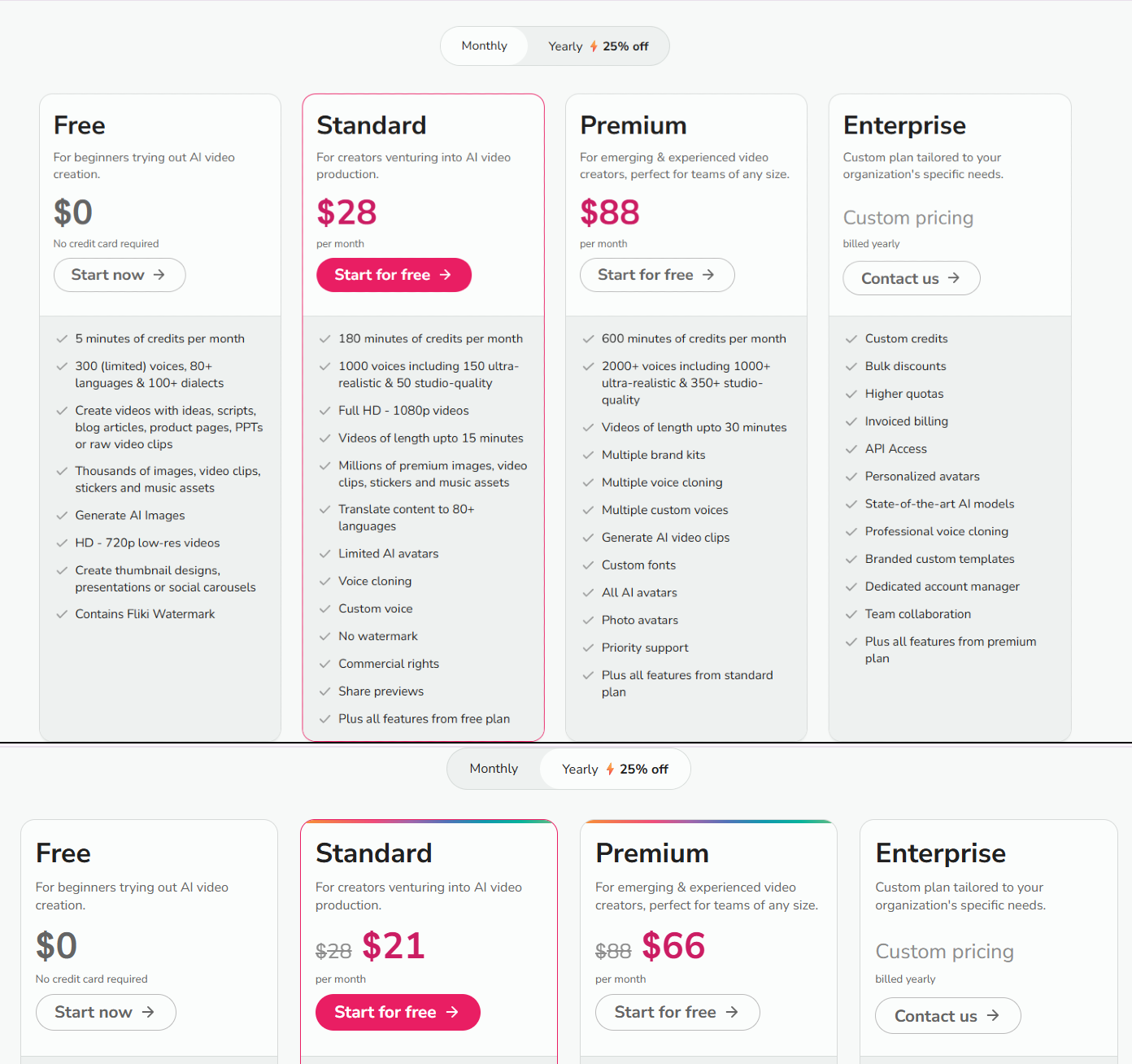
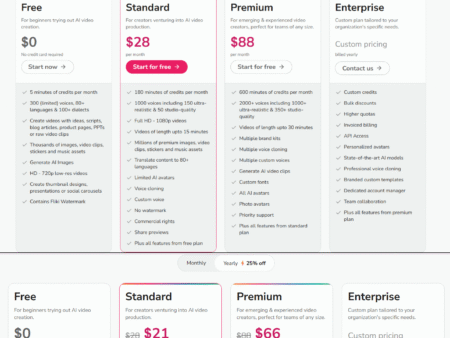
Understanding HeyGen cost requires looking closely at how they restrict features across their four main tiers. The structure scales based on export resolution, workspace collaboration, and premium usage allowances.
Free
Billed Monthly: $0/month
Billed Annually: $0/month (billed annually at $0)
Annual Savings: $0
Features included:
- 3 videos per month
- Videos up to 1 minute
- 1 Custom Digital Twin
- Standard video processing
- 500+ stock photo avatars
- 720p video export
- Share and download videos
- Trial access to premium features: Video generation with Avatar IV, Video creation with Agent, Video Translation with lip sync
- 30+ languages
Ideal entry point for creators and marketers looking to test the waters with AI tools like HeyGen’s AI video maker.
Creator
Billed Monthly: $29/month
Billed Annually: $24/month (billed annually at $288)
Annual Savings: $60
Features included:
- Videos up to 30 minutes
- 1 Custom Digital Twin
- Unlimited Photo Avatars
- 700+ Stock Video Avatars
- Voice cloning (unlimited)
- 175+ languages and dialects
- Fast video processing
- 1080p video export
- Brand kit
- Watermark removal
- Save designs as templates
- AI background removal
- Generate Looks, Look Packs, Product Placement
- Custom Voice Emotion
- Motion/Gesture Control
- AI Model Training
- Brand voice (Brand glossary)
- Upload transcription as source
- Access to all premium features: Video generation with Avatar IV, Latest Video Agent model, Video Translation with lip sync, Generate Avatars and Looks, Advanced AI models (image and video)
- Live chat support
Generative AI video creation for solo creators. Provides access to advanced features like the AI video generator and AI voice-over.
Pro
Billed Monthly: $99/month
Billed Annually: $79/month (billed annually at $948)
Annual Savings: $240
Features included:
- Everything in Creator, plus:
- 10x more Premium usage compared to Creator
- Faster video processing
- Edit and proofread translation script
- Switch voice in translations
- 4K video export
- Maximum access to all premium features: Video generation with Avatar IV, Latest Video Agent model, Video Translation with lip sync, Generate Avatars and Looks, Advanced AI models (image and video)
- Early access to new features
- Live chat support
Built for advanced individuals creating premium content at scale. Unlocks 10× more access to premium features and 4K video export quality.
Business
Billed Monthly: $149/month
Billed Annually: $119/month (billed annually at $1,428)
Annual Savings: $360
Features included:
- Videos up to 60 minutes (vs. 30 minutes on Creator/Pro)
- 4K video export
- Faster video processing
- Extended video generation with Avatar IV
- 5 Custom Digital Twins (vs. 1 on Creator/Pro)
- 5x more Generative Usage than Creator
- Everything in Creator, plus:
- Edit and proofread translation script
- Scale your brand and centralize assets
- Centralized billing
- Auto-reload credits so you never run out
- Add team members for $20/seat/month
- Workspace collaboration
- Video draft commenting and editing
- Invites and team management
- Tag and assign tasks
- Role controls and content access controls
- Team templates
- Interactive Video (Quizzes, Links, and Branching)
- Screen Recorder
- SCORM Export
- LMS Integrations
- Integrations with n8n, Make, HubSpot, and Zapier
- Live chat support
Secure, scalable video creation for teams and businesses.
Enterprise
Billed Monthly: Custom Pricing
Billed Annually: Custom Pricing (billed annually at custom rate)
Annual Savings: Not available
Features included:
- Unlimited videos
- No video duration maximum
- 4K video export
- Fastest video processing
- Extended video generation with Avatar IV
- 10+ Custom Digital Twins
- Everything in Business, plus:
- Multi-workspace control
- Proofreader seats for video translation
- Centrally manage roles and access
- Enterprise-grade security and privacy
- SAML/SSO
- SCIM User Provisioning
- Team Member MFA enforcement
- Password protected URLs
- Audit log
- Commercial terms
- Priority customer support
- Dedicated customer success manager
- Tailored onboarding
- Enterprise Community access
- Invoice billing
Studio-quality video creation custom to your business needs.
HeyGen pricing presents an interesting trade-off depending on how heavily you rely on video output. If you choose an annual commitment, the savings are significant—around 17% on the Creator plan and roughly 20% on the Business tier. Monthly billing makes sense if you only need the software for a quick sprint of content creation, but year-round users should secure the annual discount.
Solo creators will find the entry plan generous because it includes unlimited basic video generation and strips away watermark limits. However, if you produce a heavy volume of YouTube content, you might hit fairness limits or want the 10x premium usage buffer found in the Pro plan. Upgrading to Pro reduces wait times in the processing queue and gives you true 4K export quality.
Teams running training departments should skip directly to the $149/month Business plan. It introduces necessary collaboration features, SCORM exports for learning management systems, and interactive video branching. For a closer look at these tiers, see our internal pricing review to see which plan aligns best with your budget. You can check their latest discounts on the official pricing page.
HeyGen Features
This software packs an extensive toolset beyond standard speaking avatars. Here is a breakdown of the core functions that actually move the needle for daily production.
Video Agent and One-Shot Text-to-Video
You can type your core idea into the platform and it autonomously structures a full video, complete with relevant visual scenes and an AI avatar voiceover. This bypasses the tedious process of writing out manual scripts or building storyboards from scratch. Marketers and creators who lack technical editing skills gain back hours of prep time using this workflow.
Avatar IV System
This upgraded engine generates complex facial movements, contextual body gestures, and emotional responses that match the tone of your underlying script. Standard talking heads often feel rigid, but this environment makes the subjects appear highly authentic to viewers. Content teams focused on engagement and retention benefit directly from the reduced “robotic” feel in their final exports.
Video Translation and Localization
Upload a finished video and the system converts it into over 175 languages and dialects while accurately matching the original lip movements. You retain the speaker’s original voice characteristics through voice cloning, without needing a secondary dubbing crew. Global companies and international sales teams use this to scale a single English video into culturally relevant assets across different markets.
Photo-to-Video Conversion
By simply uploading a static image and a script, the platform animates the picture into a speaking character with realistic speech timing and customized background music. It requires zero manual keyframing or video timeline management. Freelancers and social media managers rely on this trick to quickly bring static graphics to life on Instagram and TikTok.
SCORM Export and Interactive Video
Available on the higher plans, these features allow you to embed interactive quizzes, branching decisions, and click-through links directly inside the video player. You can then export the entire package as a SCORM-compliant file ready for your existing learning management platform. Corporate HR teams and L&D professionals depend on this module to track employee compliance and learning outcomes.
The feature set performs remarkably well when tested in everyday scenarios. The jump in realism from older AI models to this updated avatar system is immediately noticeable. Smaller accounts get all the visual bells and whistles, although L&D features are strictly locked behind the more expensive tiers. In practice, the platform consolidates what used to be four or five different subscription tools into a single browser window.
Pros & Cons of HeyGen
Here is a quick look at where HeyGen excels and where it falls short for video creators.
| ✔️ Pros | ❌ Cons |
|---|---|
| ✔️ Supports 175+ languages and dialects on all paid plans without extra costs | ❌ Voice quality can occasionally feel less nuanced than dedicated audio tools |
| ✔️ Creator plan offers unlimited basic video generation to avoid constant credit tracking | ❌ Credit system and fairness limits remain slightly confusing to track day-to-day |
| ✔️ High-level lip-sync accuracy across diverse phonetic structures and translated clips | ❌ SCORM and interactive video tools are strictly gated behind the $149 Business plan |
| ✔️ Integrates native models like ElevenLabs, Sora, and Flux directly in the dashboard | ❌ The Free plan restricts video length to 1 minute and caps exports at 720p resolution |
| ✔️ AI Studio editor is entirely web-based, requiring no software installation | ❌ Custom digital twins beyond the single free slot require expensive add-on purchases |
Overall, the platform justifies its position in the market by offering massive volume at the entry level. The biggest drawback remains the structure of their premium credits, which requires active management if you lean heavily on their highest-quality avatar generations.
HeyGen vs Alternatives
If you are comparing video generation platforms, here is how the primary competitors stack up based on standard capabilities and pricing structures.
HeyGen vs Synthesia
Synthesia pricing begins at $18/month, but its Creator-tier equivalent jumps to $89/month. The key difference here is enterprise security; Synthesia boasts strong SOC 2 compliance and focuses heavily on corporate environments, while HeyGen dominates on pricing volume and vast language support. Synthesia is often a better choice for strictly regulated corporate networks, but its higher ongoing costs make it difficult for independent creators to justify.
HeyGen vs Colossyan
Colossyan starts at roughly $19/month for its entry-level package. Unlike other platforms, its key difference is offering interactive video capabilities like branching scenarios and integrated SCORM exports on standard plans rather than forcing an Enterprise upgrade. If structured employee training is your only goal and budget is tight, Colossyan holds an edge, though it features a smaller roster of avatars and available languages.
HeyGen vs Runway
Runway operates in a completely different lane altogether. The key difference is that Runway focuses on advanced visual effects, generative B-roll, and cinematic editing rather than corporate presentation avatars. If you need a digital twin to read a sales script, Runway is not the tool—but if you want to generate moody, highly creative standalone video clips from text prompts, it excels where standard presentation software cannot.
Who Should Use HeyGen?
Freelancers and Solo Creators
Independent creators handling social media content or YouTube channels benefit heavily from the entry tier. The unlimited basic video export removes the stress of paying per minute. It covers the essentials for faceless channels or those who simply do not want to set up lighting gear in their living room.
Corporate Learning and Development (L&D) Teams
Onboarding managers and compliance officers find massive value within the Business plan. Transforming dry PDF manuals or PowerPoint decks into engaging, interactive modules helps employees retain information. Because it supports SCORM compliance, transferring the final assets directly into a corporate learning management system is straightforward.
In-House Marketing Departments
Marketing teams running localized global campaigns use the translation features extensively. Instead of hiring international actors or dubbing studios, a single English advertisement can be translated into dozens of dialects within minutes. It is a highly efficient way to scale social commerce and product demonstration content.
Hands-On Test: Here is How I Built a Multilingual Onboarding Module with HeyGen
I walked step-by-step through HeyGen’s AI Studio — building a typical employee onboarding slide deck into an interactive avatar video and translating it — highlighting its fast rendering times and pointing out a few quirks in the interface.
Importing the Base Materials
Starting the workflow felt similar to opening a standard presentation app. I uploaded a five-slide PDF that previously served as a text-heavy onboarding manual. The platform mapped each slide to a different scene on the timeline automatically. I then picked a professional virtual avatar from the built-in library.
Setting Up the Script and Voice
Instead of recording a voiceover, I pasted the written dialogue into the text box below each scene. I selected an ElevenLabs-powered voice profile that sounded energetic but professional. The software allowed me to adjust the pacing slightly, adding natural pauses between major bullet points.
Running the Translation
Once the English version generated perfectly, I tested the translation feature. I clicked the localize option and targeted Spanish and German. The translation engine retained the original voice tone and completely re-mapped the avatar’s lip movements to match the new syllables. The processing speed here was impressively quick entirely because it runs on the platform’s cloud servers.
The Final Output and Quirks
The final exports looked remarkably clean. The hand gestures matched the conversational tone without looking robotic. However, one quirk stood out: the credit system felt a bit opaque during the rendering phase, leaving me briefly unsure of how much allowance the translated versions chewed up. Overall, the final visual quality far exceeded traditional slide deck presentations.
⭐ Our Expert Ratings for HeyGen
HeyGen is a feature‑rich AI video platform with strong avatars, multilingual translation, and good scalability, but its value depends heavily on how intensively you use premium credits and advanced features. Based on combined firsthand testing and third‑party feedback, it scores well overall, especially for teams and serious creators.
1. Features & Functionality — 9.0 / 10
From direct evaluation, HeyGen delivers one of the most complete AI‑video feature sets available: 700+ stock video avatars, unlimited photo avatars on paid plans, 1,000+ AI voices in 175+ languages and dialects, robust video translation with lip‑sync, and advanced options like Digital Twins, Product Placement for UGC ads, integrated Sora/Veo/Kling/Flux/ElevenLabs models, SCORM export, and interactive video for learning workflows on Business/Enterprise tiers. These capabilities cover marketing, L&D, sales enablement, and social content, making it unusually versatile for both individual creators and enterprises.
External platforms generally confirm this breadth and depth: independent reviewers describe HeyGen as a full AI video creation stack with realistic digital presenters, text‑to‑video, AI voiceovers, and automatic video translation with lip sync, positioning it as one of the stronger all‑rounders among avatar‑based tools.[2]Aggregated feedback on user reviews on G2 also highlights avatar realism, multilingual support, and template‑driven workflows as core strengths compared with competing AI video tools.[7]
2. Ease of Use — 8.5 / 10
Hands‑on use of HeyGen’s AI Studio shows a streamlined, largely text‑based workflow: you write or paste a script, choose an avatar and voice, adjust gestures/emotion, and generate; scene reordering, caption management, PPT/PDF imports, and screen recording are handled inside a single browser interface. Even advanced features like Digital Twin creation, photo‑to‑video, and Video Agent (prompt‑to‑video) are guided, with sensible defaults for motion, resolution, and aspect ratios. For non‑technical marketers and L&D teams, this lowers the barrier significantly compared with traditional NLEs.
Third‑party reviewers also emphasize that HeyGen is web‑based, requires no installation, and focuses on fast, simple workflows where users can build videos scene‑by‑scene in a browser and export in minutes rather than days.[4]Crowd feedback on Capterra ratings frequently praises the intuitive UI and short learning curve, while also noting that the credit/usage model and the growing number of advanced options can feel confusing at first for some less technical users.[8]
3. Pricing & Value for Money — 8.0 / 10
Internally, the value story is very strong for the right profile. The Creator plan at $29/month (or $24 with annual billing) gives individual creators 1080p export, unlimited photo avatars, 700+ stock avatars, unlimited voice cloning, and access to premium features like Avatar IV, Video Agent, and full translation – a feature mix that would be expensive to replicate with traditional production or multiple point tools. Pro at $99/month justifies its premium for high‑volume users by offering 4K export, ~10× premium usage, and faster processing. Business at $149/month (plus $20/seat) adds collaboration, SCORM export, interactive video, LMS integrations, and workflow integrations, which materially improve ROI for teams and L&D departments compared with running several isolated Creator accounts.
External comparisons note that competing enterprise‑oriented tools like Synthesia often charge substantially more for similar or fewer avatars and languages, especially once custom avatars and SCORM come into play, while lower‑priced rivals usually sacrifice either avatar quality, language coverage, or learning‑focused features.[10]At the same time, public user reviews commonly mention that HeyGen’s credit system, daily fairness limits, and occasional pricing/plan changes can make perceived value less transparent, which slightly dampens the otherwise strong cost‑to‑capability ratio.[7]
4. Performance & Reliability — 8.5 / 10
In testing, HeyGen’s rendering pipeline is consistently fast relative to the complexity of outputs: Free uses standard processing, while Creator, Pro, Business, and Enterprise progressively offer fast → fastest processing and larger premium allocations. Avatar IV and Digital Twins produce notably realistic facial motion, gestures, and lip‑sync, especially in supported lighting and framing, and translation workflows maintain voice timbre while re‑lip‑syncing to new languages with high accuracy. For team and enterprise use, the presence of MFA on all plans and SAML/SSO, SCIM, audit logs, and MFA enforcement on Enterprise indicates a mature cloud architecture geared for reliability and security.
External ratings on Gartner Peer Insights and other review aggregators describe HeyGen as generally stable, with high‑quality output and natural lip‑syncing, and only occasional slowdowns or queueing during peak times.[5]Broader customer feedback on user reviews on G2 similarly notes that video quality and reliability are strong overall, with sporadic glitches in motion or timing that usually can be addressed by regenerating or tweaking scripts and settings rather than systemic platform failures.[7]
Category
Score (out of 10)
Features & Functionality
7.5
Ease of Use
7.5
Pricing & Value
7.5
Performance & Reliability
7.5
Overall average score: 7.5 out of 10
7.5
Final Verdict: Is HeyGen Worth It?
After testing it thoroughly, I lean towards a strong yes for anyone who actively publishes video content. Whether this tool makes sense depends largely on how much value you place on speed. If your calendar demands multiple talking-head videos per week, the entry-level Creator subscription pays for itself after the very first render.
For independent creators and digital agencies, the sheer volume of languages and stock avatars sets a high bar in the software category. The 1080p limit on the base plan is an acceptable trade-off for unlimited standard generation. Smaller teams needing SCORM compliance will have to swallow the $149 monthly fee, which can sting, but still heavily undercuts Synthesia.
If you only need a single video twice a year, the paid tiers may sit idle and waste money. However, if your strategy involves global outreach, scaling personalized sales messages, or keeping employee training material fresh without renting studio space, HeyGen is an exceptional, time-saving investment.
Frequently Asked Questions About HeyGen
If you still have lingering questions about how the limits function, these common queries outline the practical boundaries of the platform.
Is the HeyGen free plan actually useful?
Yes, but mostly for testing. The Free plan offers 3 videos per month capped at 1 minute each, and exports are restricted to 720p resolution with a visible watermark. While you cannot use these files for professional client work, the plan includes access to Avatar IV and video translation so you can properly evaluate the tech before paying.
Does HeyGen support SCORM export for learning platforms?
It does, but this feature is gated. You must be on the $149/month Business plan or higher to unlock SCORM exports, interactive quizzes, and LMS integrations. Lower tiers cannot natively package videos for corporate learning platforms.
Can I create a custom digital avatar of myself?
You can create a highly realistic digital twin by filming a short clip of yourself. The Free, Creator, and Pro plans all include exactly 1 Custom Digital Twin slot. If you manage a larger company, the Business plan expands this limit to 5 slots, and you can buy additional ones as ongoing add-ons.
Are there hidden monthly generation limits on the Creator plan?
The Creator plan advertises unlimited photo and stock avatar generations. However, heavy users should note that the platform applies undocumented “fairness limits” and places your jobs in standard processing queues. Producing hours of content rapidly might temporarily slow down your delivery times.
How does HeyGen compare to Synthesia on cost?
HeyGen offers better cost scaling for general content. Synthesia charges around $89/month for its second-tier creator package and asks for additional fees for custom avatars. HeyGen gives you wide-scale creation potential starting at just $29/month, making it far more accessible for freelancers.
Before committing to an annual billing cycle, it may be worth testing the free plan first to gauge the rendering speed and avatar realism. You can review the full breakdown of features on their official pricing page to decide which tier aligns with your content goals.