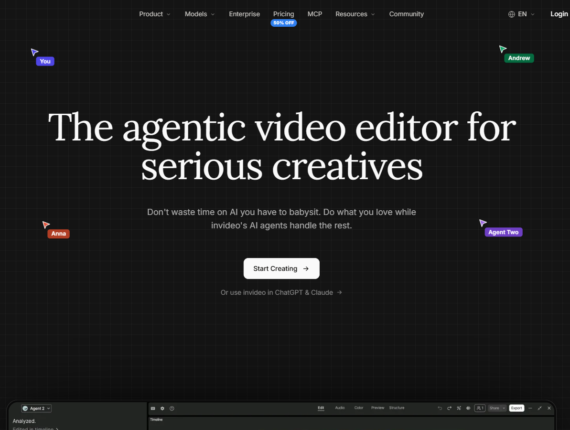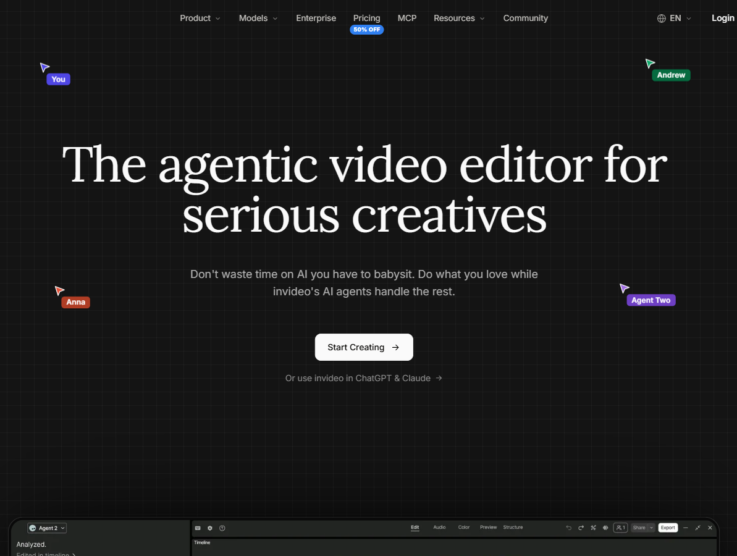

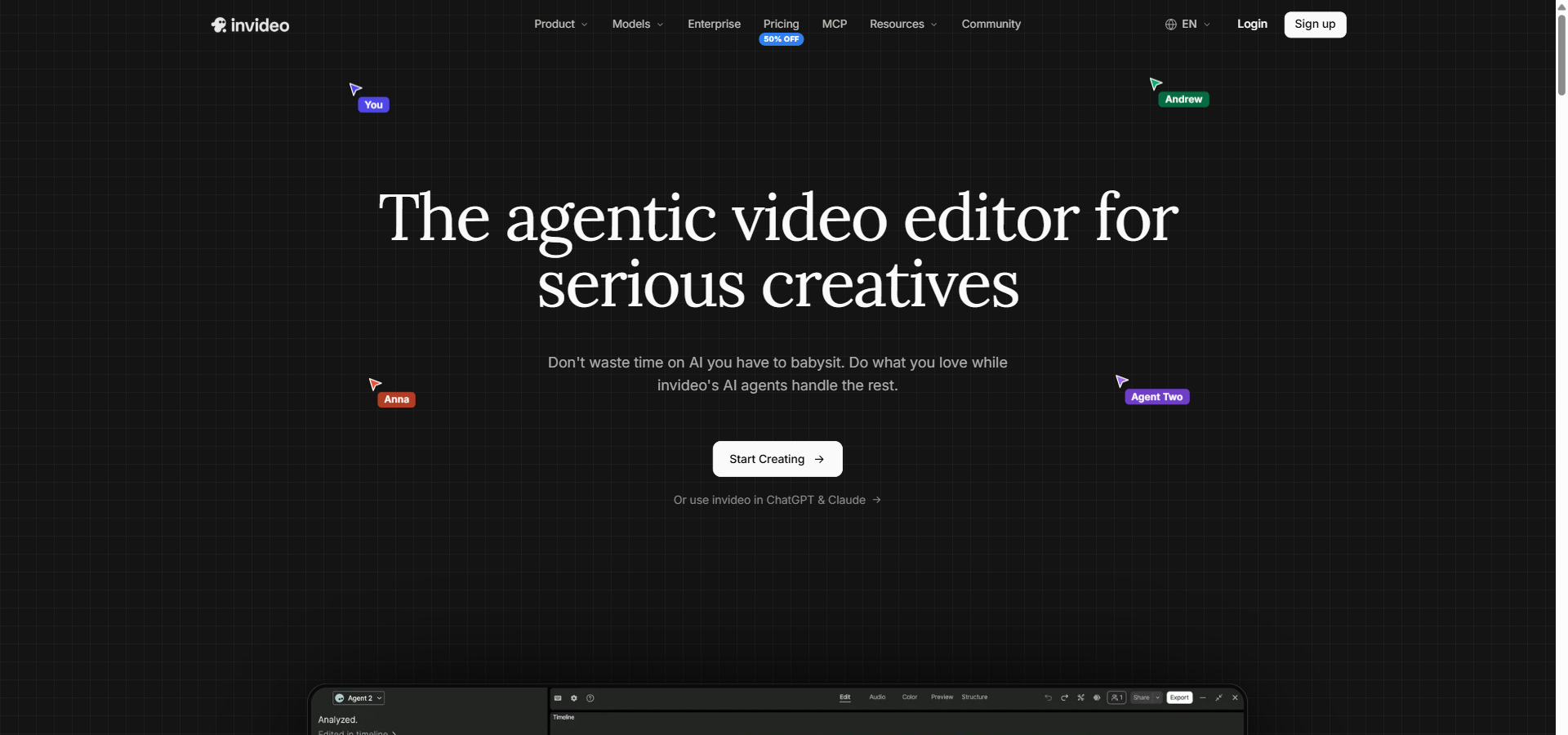
InVideo AI pricing starts at $9/month on the BASIC plan, acting as an agentic video operating system that turns simple text prompts into complete videos to solve the constant struggle of producing on-brand content at scale. Within minutes, you can bypass the traditional video editing grind entirely. I tested its core AI video generator alongside the Magic Box text-based editing tool and multilingual realistic AI voices to see how it handles real-world production. Generating content from a library of over 16 million stock photos and videos is a massive time-saver for any busy marketing team. When comparing it to alternatives like Lumen5 and Fliki AI, I noticed distinct differences in timeline flexibility and overall output control. Can it truly replace a dedicated video editor for your everyday content? This review covers the full pricing breakdown, a deep dive into the features, and a hands-on look at the creation process. I recently ran a complete test on the platform to see exactly where it excels and where it falls short.
InVideo AI Overview
InVideo AI provides a comprehensive suite of AI-driven video creation tools designed to speed up content production. To give you a quick summary, this section outlines InVideo’s key attributes, including who it’s designed for, its starting price, standout features, and the plan we believe offers the best value.
| Best for | Solo creators, marketing agencies, and enterprise communication teams |
|---|---|
| Starting cost | $9/month (BASIC plan) |
| Hero features | AI video generator, Magic Box editing, multilingual voices, 16M+ stock assets |
| ROI sweet-spot plan | PRO Plan at $30/month – unlocks 1,000 credits and Seedance 2.5 models |
| Quick trial / CTA |
Try InVideo AI Free Now |
InVideo AI Pricing & Plan Breakdown
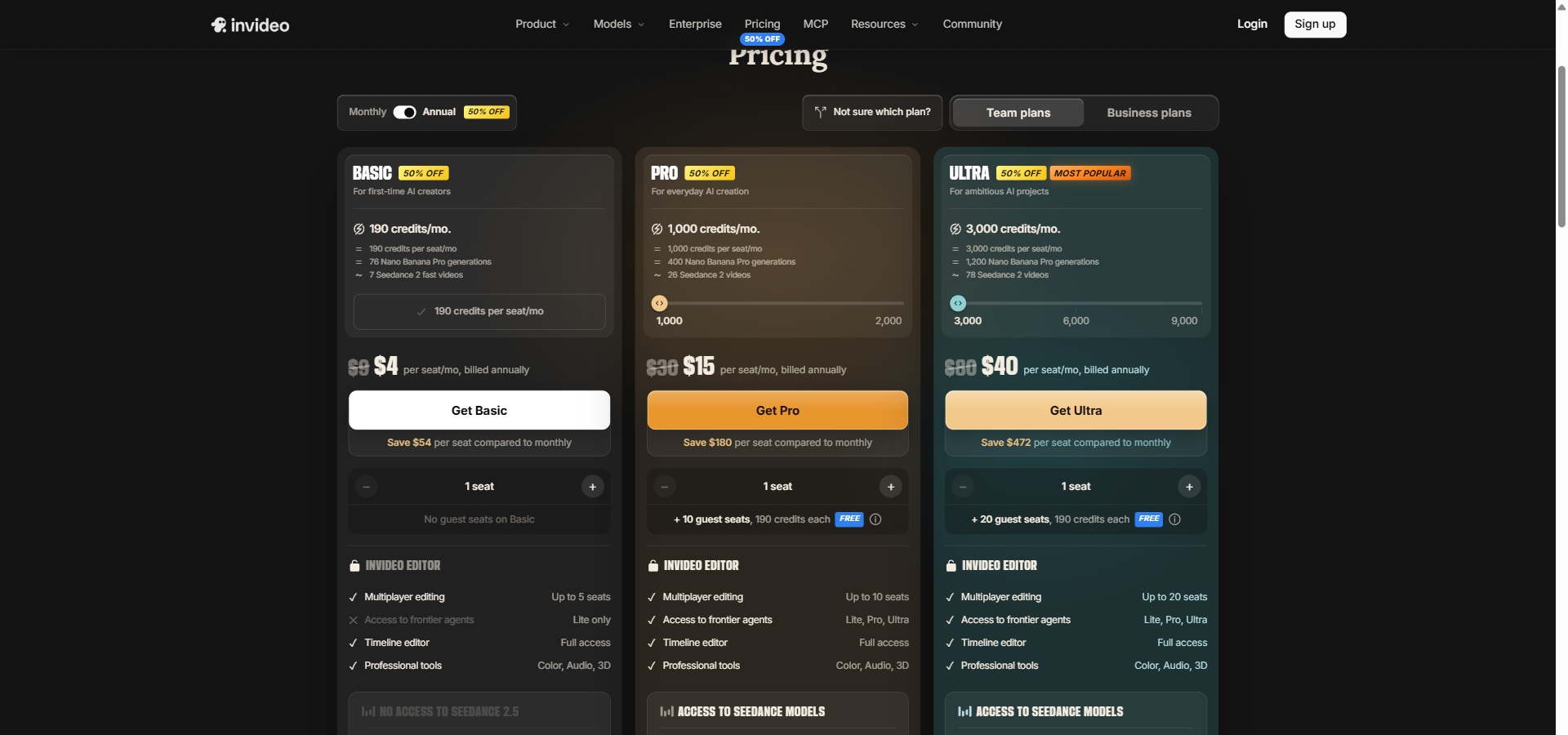
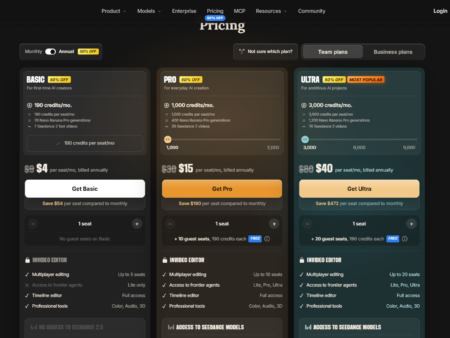
InVideo AI offers six distinct pricing tiers that cater to different production volumes, starting at $9/month on the entry-level plan. Below is a detailed look at how the plans are structured and what features each tier includes to help you find the right fit for your team.
BASIC
Billed Monthly: $9/month
Billed Annually: $4/month (billed annually at $48)
Annual Savings: $60
Features included:
- 190 credits/mo.
- = 190 credits per seat/mo
- = 76 Nano Banana Pro generations
- ~ 7 Seedance 2 fast videos
- Up to 5 seats (Agent Two Seats)
- Seedance: Lite only
- Multiplayer editing: Up to 5 seats
- Editing timeline: Full access
- Professional tools: Color, Audio, 3D
- 76 Nano Banana Pro images per month
- 47 Nano Banana Pro 4K images per month
- 475 GPT Image 2.5 Sunburst images per month
PRO
Billed Monthly: $30/month
Billed Annually: $15/month (billed annually at $180)
Annual Savings: $180
Features included:
- 1,000 credits/mo.
- = 1,000 credits per seat/mo
- = 400 Nano Banana Pro generations
- ~ 26 Seedance 2 videos
- Agent Two: Lite, Pro, Ultra
- Up to 10 seats
- + 10 guest seats, 190 credits each FREE
- Seedance: 1080p · 4K
- 17 Seedance 2.5 720p videos per month
- 10 Seedance 2.5 1080p videos per month
- 40 Seedance 2.5 Draft videos per month
- Multiplayer editing: Up to 10 seats + 10 guest seats
- Editing timeline: Full access
- Professional tools: Color, Audio, 3D
- 400 Nano Banana Pro images per month
- 250 Nano Banana Pro 4K images per month
- 2,500 GPT Image 2.5 Sunburst images per month
ULTRA
Billed Monthly: $80/month
Billed Annually: $40/month (billed annually at $480)
Annual Savings: $480
Features included:
- 3,000 credits/mo.
- = 3,000 credits per seat/mo
- = 1,200 Nano Banana Pro generations
- ~ 78 Seedance 2 videos
- Agent Two: Lite, Pro, Ultra
- Up to 20 seats
- + 20 guest seats
- Seedance: 1080p · 4K
- 53 Seedance 2.5 720p videos per month
- 31 Seedance 2.5 1080p videos per month
- 122 Seedance 2.5 Draft videos per month
- Multiplayer editing: Up to 20 seats + 20 guest seats
- Editing timeline: Full access
- Professional tools: Color, Audio, 3D
- 1,200 Nano Banana Pro images per month
- 750 Nano Banana Pro 4K images per month
- 7,500 GPT Image 2.5 Sunburst images per month
TEAM
Billed Monthly: $79/seat/month
Billed Annually: $65/seat/month (billed annually at $780)
Annual Savings: $171 per seat
Features included:
- 8,000 credits/mo.
- = 1,600 credits per seat/mo
- = 3,200 Nano Banana Pro generations
- ~ 210 Seedance 2 videos
- Agent Two: Lite, Pro, Ultra
- 5 to 30 seats
- Seedance: Seedance 2.5 and 2.0
- Multiplayer editing: Up to 30 seats
- Editing timeline: Included
- Professional tools: Included
- Seedance 2.5 and 2.0: Included
- GPT Image 2 and 2.5: Included
- Nano Banana Pro: Included
- Access to Agent Two Lite, Pro & Ultra: Included
- Access to all Seedance models: Included
- Early access to advanced AI features: Included
- 800 GB storage
- 200 Premium stock footage per seat
SCALE
Billed Monthly: $215/seat/month
Billed Annually: $150/seat/month (billed annually at $1,800)
Annual Savings: $774 per seat
Features included:
- 20,000 credits/mo.
- = 4,000 credits per seat/mo
- = 8,000 Nano Banana Pro generations
- ~ 525 Seedance 2 videos
- Agent Two: Lite, Pro, Ultra
- 5 to 30 seats
- Seedance: Seedance 2.5 and 2.0
- Multiplayer editing: Up to 30 seats
- Editing timeline: Included
- Professional tools: Included
- Seedance 2.5 and 2.0: Included
- GPT Image 2 and 2.5: Included
- Nano Banana Pro: Included
- Access to Agent Two Lite, Pro & Ultra: Included
- Access to all Seedance models: Included
- Early access to advanced AI features: Included
- 1,600 GB storage
- 400 Premium stock footage per seat
ENTERPRISE
Billed Monthly: Custom pricing
Billed Annually: Custom pricing
Annual Savings: Not available
Features included:
- Custom credits per seat/mo
- Volume rollover credits
- Unlimited seats
- Custom model access
- Agent Two: Lite, Pro, Ultra
- Seedance: Custom model access
- Multiplayer editing: Custom
- Editing timeline: Included
- Professional tools: Included
- Seedance 2.5 and 2.0: Included
- GPT Image 2 and 2.5: Included
- Nano Banana Pro: Included
- Access to Agent Two Lite, Pro & Ultra: Included
- Access to all Seedance models: Included
- Early access to advanced AI features: Included
- Custom storage
- Custom premium stock footage
- SOC 2 Type II certified
- GDPR compliant
- Data isolation and purge-on-request
- IP ownership guarantees — no training on customer data
- Project-level access control (internal vs restricted)
- Role-based permissions (Owner, Admin, Member)
- Audit trails via Insights tab
InVideo AI pricing provides a flexible entry point for beginners while scaling up substantially for agency and enterprise needs. The trade-off between monthly flexibility and annual commitment is a major factor here. For instance, choosing the annual billing option on the PRO plan saves you $180 a year, effectively cutting the monthly rate in half. This setup rewards users who are willing to commit long-term to the platform.
If you are a solo creator running a single YouTube channel, the BASIC plan at $9/month gives you enough credits to test the waters and produce a few videos. However, small teams and active content creators will benefit much more from the PRO plan. The PRO tier unlocks 1,000 credits, enabling higher output without constantly hitting usage limits. Larger agencies running multiple client accounts should look at the TEAM or SCALE plans, because they pool a massive amount of credits across 30 available seats.
Before you commit to a higher tier, you can read our complete internal pricing review to see exactly how these credits convert into video minutes in real-world scenarios. Make sure to estimate your monthly video production needs accurately so that you choose the most cost-effective option. You can check the latest pricing details directly on their website to find the best current deals.
InVideo AI Features
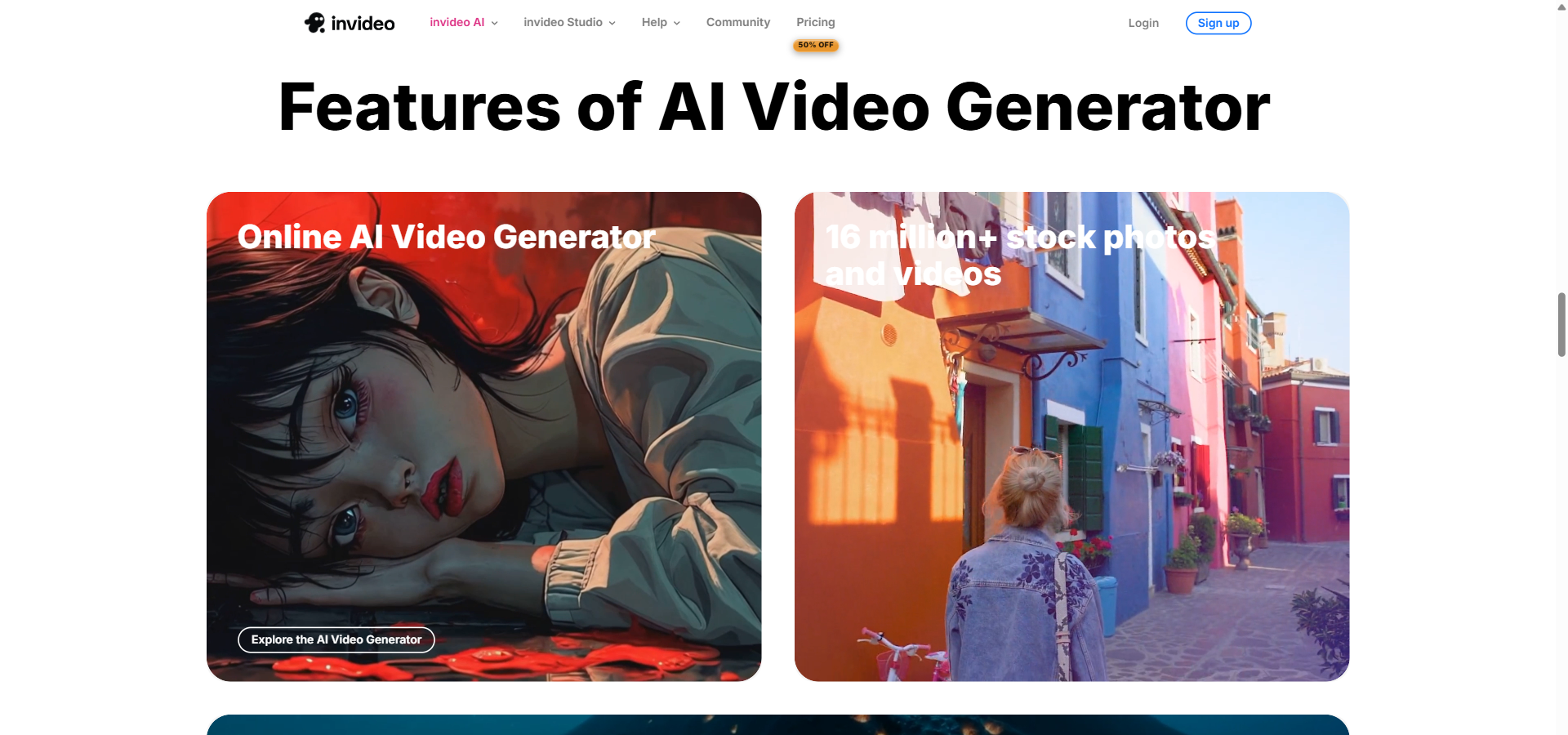
InVideo AI stands out because it combines an automated text-to-video generator with a highly capable multitrack timeline editor. This section breaks down the core features available on the platform and explains how they improve the video creation process.
AI Video Generator and Prompt-Driven Workflows
The AI Video Generator is a prompt-to-video feature that translates text instructions into a complete video with a script, voiceover, stock visuals, and background music. This helps users avoid the blank-canvas problem and go straight from a raw idea to a workable first draft in minutes. It is especially useful for marketers and social media managers who need to produce engaging promotional clips quickly without relying on a full production team.
Timeline Editor and Multitrack Editing
The InVideo Editor is a browser-based, non-linear editing environment that allows users to trim clips, arrange layers, and apply professional audio and colour adjustments. While AI does the heavy lifting, this editor gives you the manual control to refine the final cut exactly how you want it. Video editors and creative directors benefit greatly from this because it allows them to correct any AI mistakes without having to export the project to a secondary desktop application.
AI Generated Images, Storyboarding, and Visual Design
This image generation suite is a collection of AI models like Nano Banana Pro and GPT Image 2.5 Sunburst that create custom stills, concept art, and thumbnails directly from text prompts. Instead of spending hours hunting for the perfect stock photo, you can simply generate the exact image required to fit your script. Freelancers and content designers benefit from this feature as it provides a constant stream of unique visual assets for their projects.
Realistic AI Voices and Multilingual Narration
The realistic AI voice feature is an automated text-to-speech engine that generates human-sounding narration in over 50 languages with various accent options. This allows you to add professional-quality voiceovers to your content without needing to hire voice actors or rent recording equipment. It is an excellent tool for global teams and educators who need to localise their training materials for different regions efficiently.
These features work together to create a balanced production environment. You get the speed of an automated AI generator paired with the precision of a traditional timeline editor. One thing that stood out to me is that manual timeline editing does not consume your monthly credits. This means you can spend as much time as you need tweaking the final video without worrying about burning through your budget.
Pros & Cons of InVideo AI
InVideo AI delivers fast video generation, but there are a few limitations regarding its credit system that you need to know before buying.
| ✔️ Pros | ❌ Cons |
|---|---|
| ✔️ Integrates prompt-based video generation with a full multitrack timeline editor. | ❌ Unpredictable credit consumption can occur during complex multi-agent tasks. |
| ✔️ Includes access to over 16 million premium stock photos and video clips. | ❌ Unused monthly credits do not roll over on standard business plans. |
| ✔️ Offers realistic AI voiceovers in over 50 languages for global reach. | ❌ The refund policy is notoriously rigid for dissatisfied users. |
| ✔️ Manual timeline editing and final video exports cost zero credits. | ❌ Long-form automated video workflows occasionally stall or require manual fixing. |
| ✔️ Enterprise plans provide robust SOC 2 Type II and GDPR compliance. | ❌ The multi-agent processing system creates a steep learning curve for beginners. |
Overall, InVideo AI provides an impressive set of professional tools that save time on daily video tasks. However, you must monitor your AI credit usage carefully to avoid unexpected depletion during heavy production runs.
InVideo AI vs Alternatives
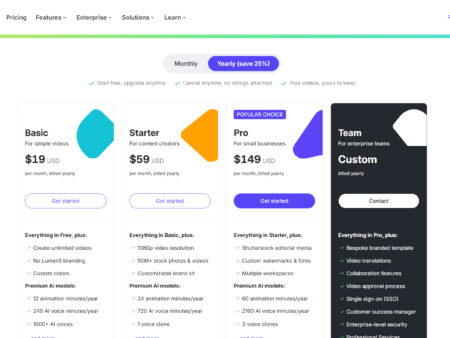
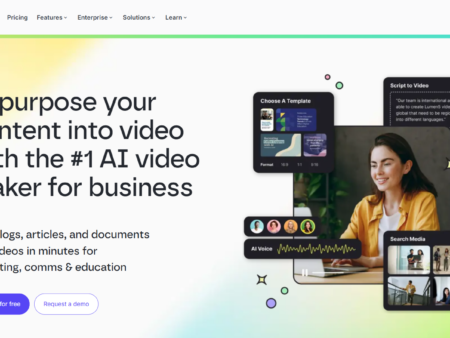
Lumen5 and Fliki AI serve as the primary alternatives to InVideo AI, offering different approaches and pricing structures for automated video generation.
Fliki AI
Starting Price: $28/month
Key Difference: Focuses heavily on text-to-speech workflows, realistic voice cloning, and automated faceless channel scheduling across platforms.
Value Comparison: Fliki AI is a better choice if you prioritise voice generation and hands-off social media scheduling over complex timeline editing.
Lumen5
Starting Price: $29/month
Key Difference: Excels at transforming existing text assets, such as blog posts and enterprise documents, into branded videos with strict visual guardrails.
Value Comparison: Lumen5 works best for corporate communications teams that need simple, brand-safe video repurposing without a steep learning curve.
Synthesia
Starting Price: $29/month
Key Difference: Specialises in photorealistic AI avatars and lip-synced video content specifically designed for corporate training.
Value Comparison: Synthesia is the superior option if you need a virtual human presenter for instructional videos, rather than relying on stock footage and voiceovers.
Who Should Use InVideo AI?
InVideo AI is an excellent fit for marketing agencies, solo content creators, and enterprise teams needing high-volume video output. The platform adapts well to various skill levels and production demands.
Solo creators and freelancers gain the most value from the lower-tier plans. Features like the AI script-to-video generator and the vast stock media library allow individuals to produce polished social media posts without hiring an editor. The BASIC plan provides enough monthly credits to cover regular short-form video updates.
Marketing agencies and mid-sized production teams should view InVideo AI as a major productivity booster. The PRO and TEAM plans offer multiplayer editing, enabling team members to collaborate on the same timeline. With access to advanced tools like colour grading and audio balancing, agencies can maintain high production standards while turning projects around much faster.
For large enterprise organisations, the platform offers secure, scalable video creation. The ENTERPRISE tier includes SOC 2 Type II certification, data isolation, and IP ownership guarantees. This makes it a safe and practical option for corporate departments that need to produce internal training videos and promotional materials without risking data compliance issues.
Hands-On Test: Here is How I Built a Social Media Promo with InVideo AI
I walked step-by-step through InVideo AI’s video generator — inputting a prompt, reviewing the auto-generated script, and refining the timeline — highlighting its fast scene assembly and pointing out a few quirks in its credit estimation process.
Step 1: Inputting the Prompt
I started by entering a detailed prompt for a 60-second social media promo about a new fitness app. The interface asked me to specify the target audience, preferred platform format, and voiceover accent. The software generated a draft script in less than a minute, which is incredibly fast compared to writing one manually.
Step 2: Scene Generation and Assembly
Once I approved the script, the AI agent took over. It automatically pulled relevant workout clips from the 16 million+ stock library and aligned them with the text. The software completed this entire background assembly in just a few minutes. I was impressed by how well the chosen voiceover matched the energetic tone of the video.
Step 3: Timeline Refining
This is where the traditional editor came in handy. A few of the AI-selected stock clips felt slightly generic. I opened the timeline editor, swapped out two clips using the search function, and adjusted the volume of the background music. The interface felt smooth, and making these manual adjustments did not consume any extra credits.
The Bottom Line
The workflow is fast, but the credit usage preview was slightly confusing when I tried to apply a premium AI image model to a scene. Overall, InVideo AI successfully bridges the gap between automated generation and manual editorial control.
⭐ Our Expert Ratings for InVideo AI
InVideo AI is a powerful browser-based video platform that combines prompt-driven generation, AI agents, stock media, multilingual voiceovers, and a professional timeline editor. Its feature depth is impressive, but the credit-based pricing model and mixed reports about unexpected usage make careful budget management essential.
1. Features and Functionality — 9.0/10
In firsthand testing and deep evaluation, InVideo AI stands out for combining end-to-end generation with a conventional multitrack editor. Users can create scripts, visuals, voiceovers, captions, music, and complete videos from prompts, then refine the result frame by frame. The platform also includes Magic Box prompt editing, AI-generated images and video, storyboard workflows, more than 16 million stock photos and videos, multilingual narration, translation, collaboration, MCP and CLI integrations, and enterprise governance features.
Its agentic architecture is broader than that of specialist tools focused only on avatars, short-form repurposing, or text-to-video generation. The ability to delegate tasks such as scene creation, B-roll insertion, audio balancing, and timeline editing is a meaningful advantage. Professional color, audio, and 3D tools are included across plans, while enterprise customers receive features such as role-based permissions, audit trails, data isolation, and IP ownership guarantees.
External reviewers support this assessment. User reviews on G2 frequently praise the platform’s AI-driven video creation, templates, editing tools, and high-quality output. The main deduction reflects the unevenness that can occur in AI-generated results and the fact that specialist applications may still provide deeper color grading, compositing, or audio-production capabilities.
2. Ease of Use — 8.6/10
In firsthand evaluation, the prompt-based workflow makes video production approachable for beginners: users can select a workflow, describe the desired result, choose parameters such as format and voice, and receive an editable draft without installing software. Magic Box commands further reduce the need to navigate complex editing controls, and the browser-based interface supports access across common devices.
The platform is not completely effortless. Users must understand the distinction between AI generation and free timeline editing, learn how credits are consumed, and decide when to use different agents or models. Advanced workflows involving storyboards, MCP, CLI automation, and professional editing tools also introduce a learning curve.
The external consensus is favorable. G2 reviewers commonly describe InVideo as intuitive and accessible to nontechnical users, while Capterra reports strong ratings for ease of use and highlights the value of templates and guided creation. The score is below the top tier because ease of use can decline when users move beyond simple social or promotional videos into complex agentic workflows.
3. Pricing and Value for Money — 7.2/10
Based on the supplied pricing data, InVideo offers a broad range of plans. BASIC begins at $9 per month, or $4 per month when billed annually, and includes 190 monthly credits plus the full timeline editor. PRO costs $30 monthly or $15 annually and provides 1,000 credits, broader model access, and guest collaboration. ULTRA costs $80 monthly or $40 annually with 3,000 credits. TEAM and SCALE cost $79 and $215 per seat monthly respectively, with annual rates of $65 and $150, while ENTERPRISE pricing is custom.
The value proposition is strongest for users who need both AI generation and serious editing. Timeline editing, multiplayer editing, professional color, audio, 3D tools, and exports do not consume credits, which makes the lower plans useful for manual editing and light AI production. Annual billing can also substantially reduce the effective monthly cost.
The principal weakness is predictability. Credits reset monthly and generally do not roll over, while AI video, image, audio, transcript, and stock operations consume credits at different rates. High-resolution or agent-driven workflows can use substantial allocations quickly. The supplied review evidence also identifies complaints about confusing consumption, unexpected charges, and strict refund experiences. Capterra’s external assessment is more positive, reporting strong value-for-money and feature ratings, but the mixed broader sentiment warrants a measured score. Capterra ratings and value assessment
4. Performance and Reliability — 7.3/10
In firsthand analysis, InVideo benefits from a fully cloud-based workflow, integrated generation and editing, dry-run safeguards for many paid operations, visible credit usage, and a coherent path from prompt to export. The ability to keep generated content editable is particularly useful because users can correct AI decisions rather than restart an entire project.
Reliability is less consistent when workflows become long, highly automated, or heavily dependent on frontier models. AI outputs may require manual correction, and complex agent tasks can stall or generate results that do not justify their credit cost. Since generation depends on cloud services and multiple model providers, performance may also vary by workload and demand. The platform’s enterprise controls improve operational confidence for larger organizations, but they do not eliminate ordinary generation variability.
External G2 feedback is generally positive about speed and content creation, but reviewers also mention performance issues during peak periods. Reports of failed or incomplete agent workflows and rapidly consumed credits further reduce confidence for users producing long-form or high-volume content. InVideo is therefore reliable enough for structured marketing production, but less predictable as a fully autonomous replacement for a professional production team.
Overall Average Score — 8.0/10
Calculation: ((9.0 + 8.6 + 7.2 + 7.3) / 4 = 8.025), rounded to 8.0/10.
| Category | Score (out of 10) |
|---|---|
| Features & Functionality | 9 |
| Ease of Use | 8.6 |
| Pricing & Value | 7.2 |
| Performance & Reliability | 7.3 |
| Overall average score: 8 out of 10 | 8 |
InVideo AI is best suited to creators, marketers, agencies, and teams that value rapid production, broad AI model access, and an editable professional timeline. Buyers should test representative projects, monitor credit consumption, and confirm that the selected plan matches their expected generation volume before making a substantial commitment.
Final Verdict: Is InVideo AI Worth It?
InVideo AI is highly capable and easily justifies its starting price of $9/month for users needing fast generation combined with traditional editing tools. The ability to turn a text prompt into a fully populated timeline with voiceovers and stock footage saves countless hours in pre-production.
Unlike many basic AI generators, InVideo AI provides a professional multitrack editor that operates perfectly well without draining your monthly credits. This dual approach makes it incredibly versatile for solo creators and marketing agencies alike. The 190 monthly credits on the BASIC plan offer enough leeway for light usage, while the PRO tier provides ample runway for daily creation.
You should consider looking elsewhere if your workflow requires intense, long-form automated video generation and you cannot afford unexpected credit consumption. The strict refund policy and occasional timeline stalling are real drawbacks. However, for everyday social media content and marketing videos, InVideo AI delivers a strong return on investment.
Frequently Asked Questions About InVideo AI
This section covers the most common questions buyers have before committing to a paid plan with InVideo AI.
Does InVideo AI have a free plan?
InVideo AI’s pricing page lists no free plan, so check their site for any current free options. Paid plans with proper storage and expanded model limits begin at $9 per seat per month.
How much does InVideo AI cost per month?
InVideo AI costs $9/month on the BASIC plan, expanding to $30/month on the PRO plan. You can lower these costs significantly by choosing annual billing, which drops the entry rate to just $4/month.
What is InVideo AI used for?
InVideo AI is used to create professional videos, marketing promos, and educational content from simple text prompts. It automatically generates scripts, sources stock media, and applies voiceovers in a single workspace.
Is InVideo AI good for YouTube automation?
Yes, InVideo AI is excellent for YouTube automation because it manages the entire production cycle from script generation to final editing. The built-in 16 million+ stock media library ensures you always have fresh visuals for your channel.
Does InVideo AI have a free trial?
No, there is no time-limited free trial mentioned, and the pricing page lists no free plan. If you want to experience the full timeline editor and AI models, upgrading to the BASIC plan is the best starting point.
Before you make a final decision, it may be worth starting with the lowest-cost Basic plan to see if the interface matches your workflow. You can view the full pricing plans directly on their site.