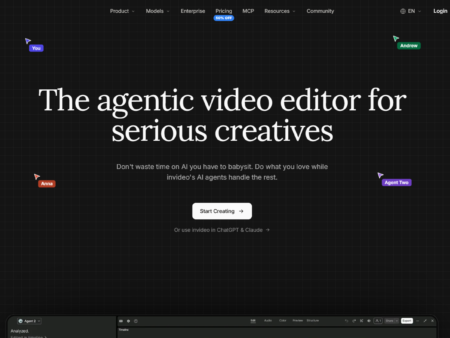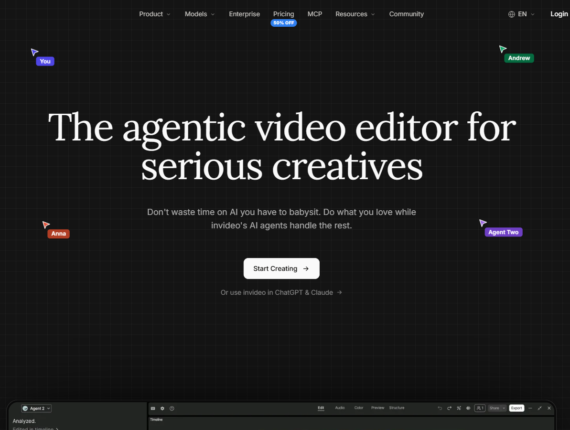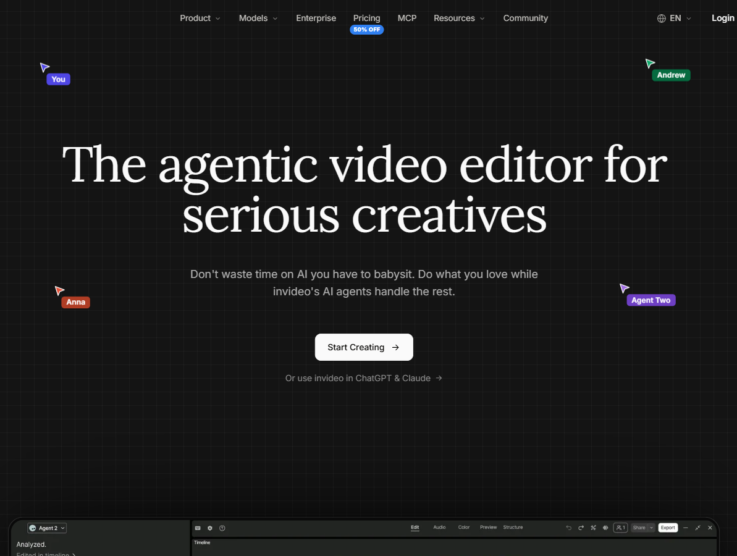

InVideo AI’s pricing page lists no free plan. Paid options begin at $9/seat/month for Basic and step up to $30/month for Pro and $80/month for Ultra. Larger organizations can choose seat-based tiers, with Team costing $79 per seat and Scale priced at $215 per seat, while the Enterprise plan offers custom pricing. The tool acts as an agentic video operating system that handles scripting, visual generation, and audio within a single workspace. The key cost mechanic here is that manual timeline editing is completely free; your monthly budget only drains when the internal AI models actively generate new media. InVideo AI is most often weighed against Fliki AI and Lumen5, which we evaluate in the pricing comparison section below.
The published pricing tiers show your starting point, but they do not reveal the exact month-to-month cost for a busy content team. To map out a real budget, you must understand how the platform’s internal AI, known as Agent Two, consumes your credit allowance for different micro-tasks. Generating high-resolution video clips burns credits much faster than creating static images or cleaning audio tracks. This guide breaks down the credit system, the differences between individual and shared team plans, and the financial trade-offs you need to know before committing.
Key Takeaways
- Cheapest paid plan: Basic starts at $9/month per seat and gives you full access to the timeline editor.
- Most popular plan: Ultra costs $80/month and provides a high volume of credits for ambitious creators.
- Annual discount: Switching to a yearly commitment saves roughly 30% to 50%, depending on your chosen tier.
- Enterprise option: Custom pricing is available for large organizations needing volume rollover credits and strict data isolation.
- Cost reality check: You are not billed for time spent editing. Credits are only charged when the AI generates models, images, or audio.
InVideo AI Pricing Plans
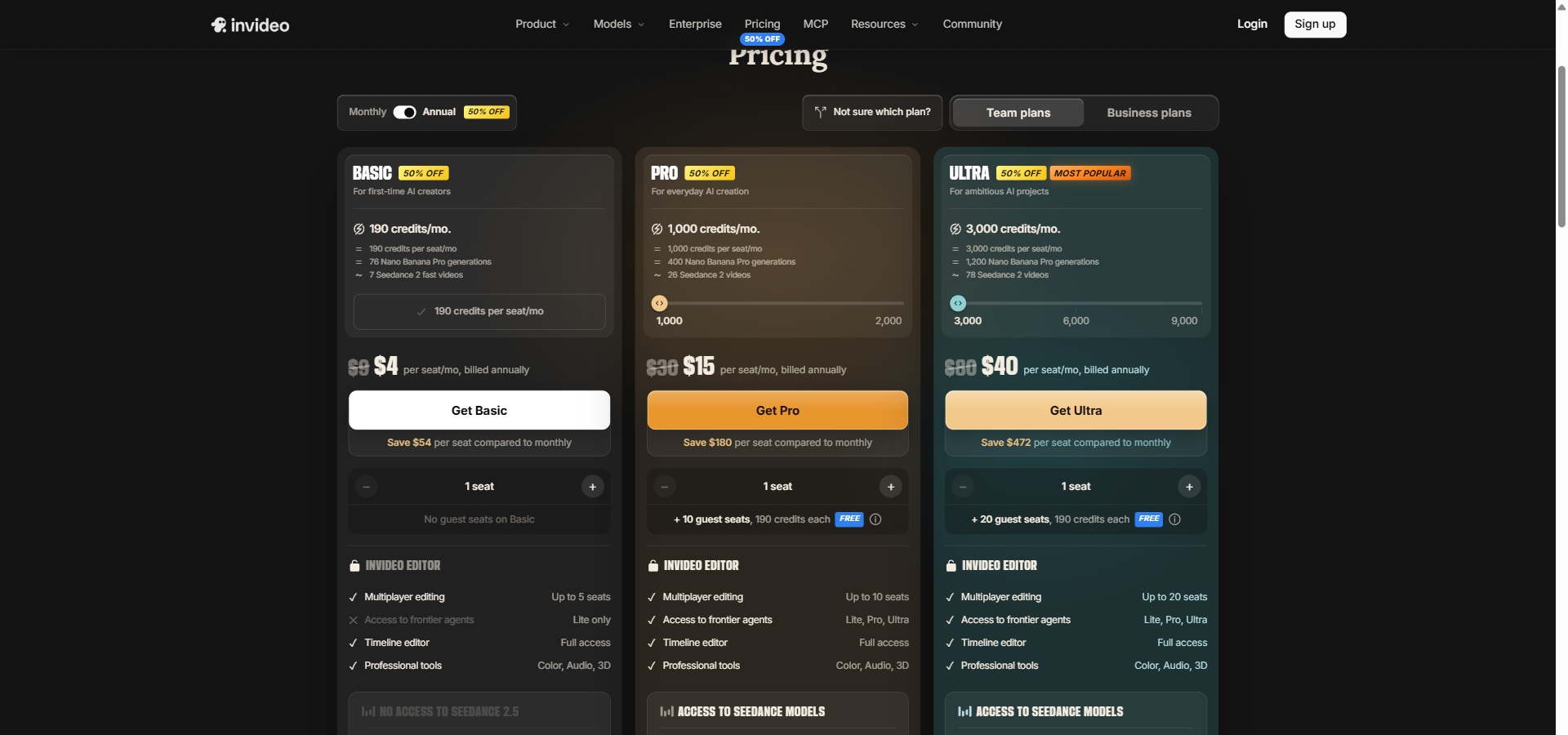
Here is the exact breakdown of InVideo AI’s pricing and features based on official data. Confirm current pricing on the official page before buying.
BASIC
Billed Monthly: $9/month
Billed Annually: $4/month (billed annually at $48/year)
Annual Savings: $60/year
Features included:
- 190 credits/mo.
- = 190 credits per seat/mo
- = 76 Nano Banana Pro generations
- ~ 7 Seedance 2 fast videos
- Up to 5 seats
- Lite only (Seedance)
- Multiplayer editing: Up to 5 seats
- Editing timeline: Full access
- Professional tools: Color, Audio, 3D
- 76 Nano Banana Pro images per month
- 47 Nano Banana Pro 4K images per month
- 475 GPT Image 2.5 Sunburst images per month
Limitation: You only have access to Seedance Lite, meaning higher-resolution AI video models are locked out.
Benefits: Excellent for first-time AI video creators who want a small credit allocation and full timeline editor access without a heavy financial commitment.
PRO
Billed Monthly: $30/month
Billed Annually: $15/month (billed annually at $180/year)
Annual Savings: $180/year
Features included:
- 1,000 credits/mo.
- = 1,000 credits per seat/mo
- = 400 Nano Banana Pro generations
- ~ 26 Seedance 2 videos
- Lite, Pro, Ultra (Agent Two)
- Up to 10 seats
- + 10 guest seats, 190 credits each FREE
- 1080p · 4K (Seedance)
- 17 Seedance 2.5 720p videos per month
- 10 Seedance 2.5 1080p videos per month
- 40 Seedance 2.5 Draft videos per month
- Multiplayer editing: Up to 10 seats + 10 guest seats
- Editing timeline: Full access
- Professional tools: Color, Audio, 3D
- 400 Nano Banana Pro images per month
- 250 Nano Banana Pro 4K images per month
- 2,500 GPT Image 2.5 Sunburst images per month
Limitation: Unused credits from the 1,000 monthly allocation do not roll over to the next month.
Benefits: Provides 10 free guest seats with their own small credit allowances, making it highly effective for creators collaborating with clients.
ULTRA
Billed Monthly: $80/month
Billed Annually: $40/month (billed annually at $480/year)
Annual Savings: $480/year
Features included:
- 3,000 credits/mo.
- = 3,000 credits per seat/mo
- = 1,200 Nano Banana Pro generations
- ~ 78 Seedance 2 videos
- Lite, Pro, Ultra (Agent Two)
- Up to 20 seats
- + 20 guest seats
- 1080p · 4K (Seedance)
- 53 Seedance 2.5 720p videos per month
- 31 Seedance 2.5 1080p videos per month
- 122 Seedance 2.5 Draft videos per month
- Multiplayer editing: Up to 20 seats + 20 guest seats
- Editing timeline: Full access
- Professional tools: Color, Audio, 3D
- 1,200 Nano Banana Pro images per month
- 750 Nano Banana Pro 4K images per month
- 7,500 GPT Image 2.5 Sunburst images per month
Limitation: This plan is still priced per seat, which can become expensive if you need to onboard a large production team.
Benefits: Offers a massive leap in generative capacity, hitting the sweet spot for ambitious creators producing daily content.
TEAM
Billed Monthly: $79/seat/month
Billed Annually: $65/seat/month (billed annually at Not available)
Annual Savings: $171 per seat per year
Features included:
- 8,000 credits/mo.
- = 1,600 credits per seat/mo
- = 3,200 Nano Banana Pro generations
- ~ 210 Seedance 2 videos
- Lite, Pro, Ultra (Agent Two)
- 5 to 30 seats
- Seedance 2.5 and 2.0
- Multiplayer editing: Up to 30 seats
- Editing timeline: Included
- Professional tools: Included
- Seedance 2.5 and 2.0: Included
- GPT Image 2 and 2.5: Included
- Nano Banana Pro: Included
- Access to Agent Two Lite, Pro & Ultra: Included
- Access to all Seedance models: Included
- Early access to advanced AI features: Included
- 800 GB storage
- 200 Premium stock footage per seat
Limitation: You must purchase a minimum of 5 seats to use this tier.
Benefits: Features a pooled workspace credit allocation, allowing multiple editors to draw from the same high-capacity budget.
SCALE
Billed Monthly: $215/seat/month
Billed Annually: $150/seat/month (billed annually at Not available)
Annual Savings: $774 per seat per year
Features included:
- 20,000 credits/mo.
- = 4,000 credits per seat/mo
- = 8,000 Nano Banana Pro generations
- ~ 525 Seedance 2 videos
- Lite, Pro, Ultra (Agent Two)
- 5 to 30 seats
- Seedance 2.5 and 2.0
- Multiplayer editing: Up to 30 seats
- Editing timeline: Included
- Professional tools: Included
- Seedance 2.5 and 2.0: Included
- GPT Image 2 and 2.5: Included
- Nano Banana Pro: Included
- Access to Agent Two Lite, Pro & Ultra: Included
- Access to all Seedance models: Included
- Early access to advanced AI features: Included
- 1,600 GB storage
- 400 Premium stock footage per seat
Limitation: Guest seats are completely unavailable on this plan.
Benefits: Doubles the storage and premium stock allowances compared to the Team plan, making it ideal for high-output agencies.
ENTERPRISE
Billed Monthly: Custom pricing
Billed Annually: Custom pricing (billed annually at Not available)
Annual Savings: Not available
Features included:
- Custom credits per seat/mo
- Volume rollover credits
- Unlimited seats
- Custom model access
- Lite, Pro, Ultra (Agent Two)
- Custom model access (Seedance)
- Multiplayer editing: Custom
- Editing timeline: Included
- Professional tools: Included
- Seedance 2.5 and 2.0: Included
- GPT Image 2 and 2.5: Included
- Nano Banana Pro: Included
- Access to Agent Two Lite, Pro & Ultra: Included
- Access to all Seedance models: Included
- Early access to advanced AI features: Included
- Custom storage
- Custom premium stock footage
- SOC 2 Type II certified
- GDPR compliant
- Data isolation and purge-on-request
- IP ownership guarantees — no training on customer data
- Project-level access control (internal vs restricted)
- Role-based permissions (Owner, Admin, Member)
- Audit trails via Insights tab
Limitation: Requires negotiating directly with a sales team to establish your custom credit quotas.
Benefits: Guarantees that your data and inputs will not be used to train InVideo’s models, providing essential IP protection for major brands.
InVideo AI Feature Comparison Table
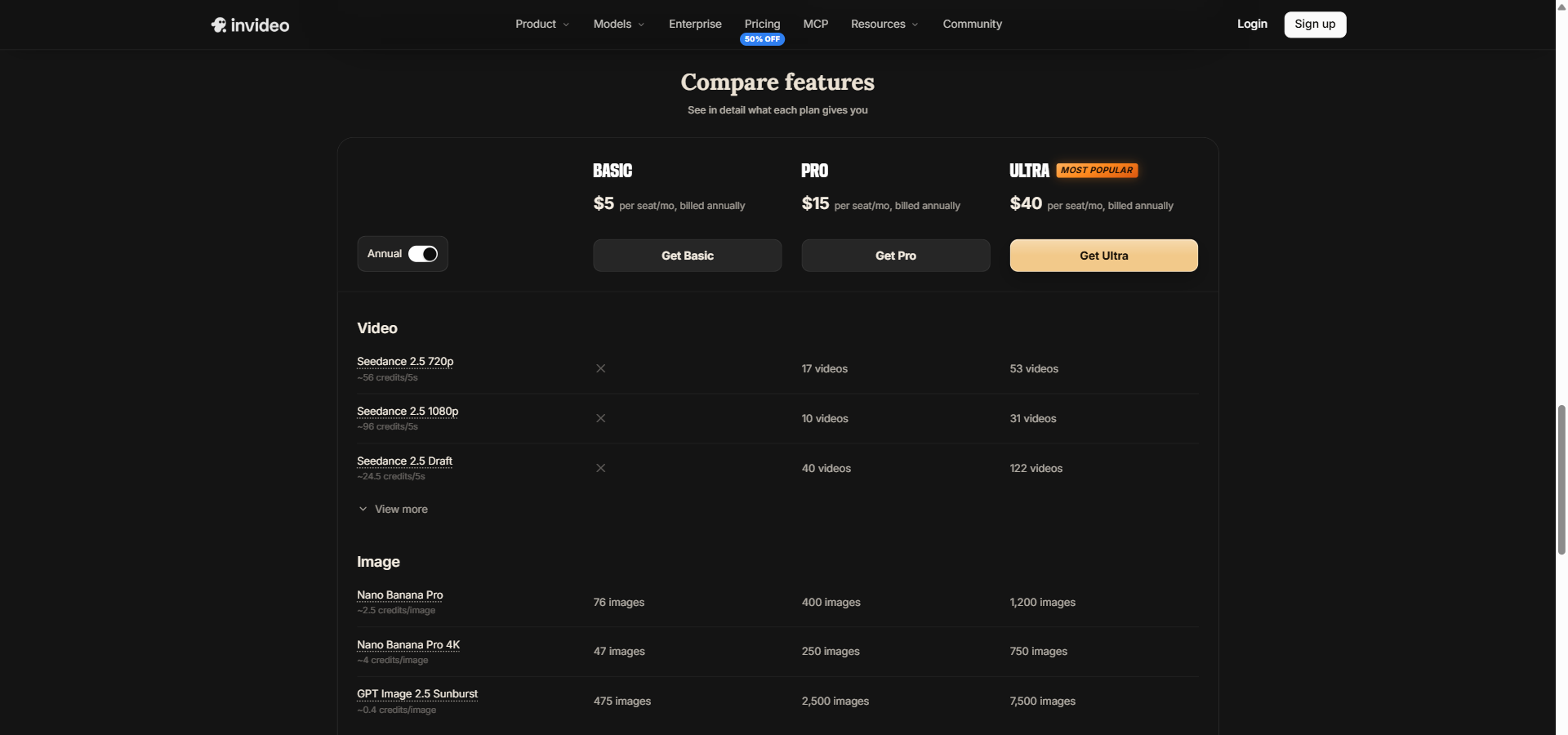
This table compares the specific limits and feature caps across InVideo AI’s plans.
| Feature | Basic $9/month |
Pro $30/month |
Ultra $80/month |
Team $79/seat/month |
Scale $215/seat/month |
Enterprise Custom |
|---|---|---|---|---|---|---|
| VIDEO | ||||||
| Seedance 2.5 720p | ✗ | 17 videos | 53 videos | |||
| Seedance 2.5 1080p | ✗ | 10 videos | 31 videos | |||
| Seedance 2.5 Draft | ✗ | 40 videos | 122 videos | |||
| IMAGE | ||||||
| Nano Banana Pro | 76 images | 400 images | 1,200 images | |||
| Nano Banana Pro 4K | 47 images | 250 images | 750 images | |||
| GPT Image 2.5 Sunburst | 475 images | 2,500 images | 7,500 images | |||
| INVIDEO EDITOR | ||||||
| Multiplayer editing | Up to 5 seats | Up to 10 seats + 10 guest seats | Up to 20 seats + 20 guest seats | Up to 30 seats | Up to 30 seats | Custom |
| Editing timeline | Full access | Full access | Full access | Included | Included | Included |
| Professional tools | Color, Audio, 3D | Color, Audio, 3D | Color, Audio, 3D | Included | Included | Included |
| YOUR OWN FOOTAGE, 4K EXPORT | ||||||
| Credits per seat | 1,600 credits | 4,000 credits | Custom | |||
| Seats | 30 seats | 30 seats | Unlimited | |||
| Access to frontier agents | Lite, Pro, Ultra | Lite, Pro, Ultra | Lite, Pro, Ultra | |||
| MODELS | ||||||
| Seedance 2.5 and 2.0 | Included | Included | Included | |||
| GPT Image 2 and 2.5 | Included | Included | Included | |||
| Nano Banana Pro | Included | Included | Included | |||
| Access to Agent Two Lite, Pro & Ultra | Included | Included | Included | |||
| Access to all Seedance models | Included | Included | Included | |||
| Early access to advanced AI features | Included | Included | Included | |||
| Storage | 800 GB storage | 1600 GB storage | Custom | |||
| Premium stock footage | 200 Premium stock footage per seat | 400 Premium stock footage per seat | Custom | |||
| CREDITS PER SEAT | ||||||
| Team | 1,600 credits | |||||
| Scale | 4,000 credits | |||||
| Enterprise | Custom | |||||
| SEATS | ||||||
| Team | 30 seats | |||||
| Scale | 30 seats | |||||
| Enterprise | Unlimited | |||||
| MULTIPLAYER EDITING | ||||||
| Team | Up to 30 seats | |||||
| Scale | Up to 30 seats | |||||
| Enterprise | Custom | |||||
| ACCESS TO FRONTIER AGENTS | ||||||
| Team | Lite, Pro, Ultra | |||||
| Scale | Lite, Pro, Ultra | |||||
| Enterprise | Lite, Pro, Ultra | |||||
| EDITING TIMELINE | ||||||
| Team | Included | |||||
| Scale | Included | |||||
| Enterprise | Included | |||||
| PROFESSIONAL TOOLS | ||||||
| Team | Included | |||||
| Scale | Included | |||||
| Enterprise | Included | |||||
| SEEDANCE 2.5 AND 2.0 | ||||||
| Team | Included | |||||
| Scale | Included | |||||
| Enterprise | Included | |||||
| GPT IMAGE 2 AND 2.5 | ||||||
| Team | Included | |||||
| Scale | Included | |||||
| Enterprise | Included | |||||
| NANO BANANA PRO | ||||||
| Team | Included | |||||
| Scale | Included | |||||
| Enterprise | Included | |||||
| ACCESS TO AGENT TWO LITE, PRO & ULTRA | ||||||
| Team | Included | |||||
| Scale | Included | |||||
| Enterprise | Included | |||||
| ACCESS TO ALL SEEDANCE MODELS | ||||||
| Team | Included | |||||
| Scale | Included | |||||
| Enterprise | Included | |||||
| EARLY ACCESS TO ADVANCED AI FEATURES | ||||||
| Team | Included | |||||
| Scale | Included | |||||
| Enterprise | Included | |||||
| STORAGE | ||||||
| Team | 800 GB storage | |||||
| Scale | 1600 GB storage | |||||
| Enterprise | Custom | |||||
| PREMIUM STOCK FOOTAGE | ||||||
| Team | 200 Premium stock footage per seat | |||||
| Scale | 400 Premium stock footage per seat | |||||
| Enterprise | Custom | |||||
What to Factor Into Your Budget
InVideo AI’s pricing model is not a flat-rate buffet. The software uses a strict credit economy to limit your access to expensive generative models. If you misunderstand how this works, you will quickly hit limits mid-project.
Here is how the math actually works: you are never charged for timeline edits. Trimming, splitting clips, replacing media, and exporting cost zero credits. You only spend credits when you ask the internal AI, Agent Two, to generate new media or process complex audio. A fast Seedance 2.0 video costs roughly 30 credits. Higher-end models demand more, charging about 56 to 96 credits per 5 seconds of footage, while Nano Banana Pro images cost roughly 2.5 credits each.
For context, if you run a team that uses 40 hours of manual timeline editing but only generates eight Seedance videos (240 credits) and 60 Nano Banana Pro images (150 credits) over the month, three Basic seats completely cover that 390-credit burn out of your combined 570-credit allowance.
The platform helps you manage this by performing a “dry run” before executing any task that costs one or more credits. It calculates the price and pauses to ask for your confirmation. If you run out of credits, the system will reject the request and wait for a manual top-up.
Keep this rule in mind: Always set a strict `max_credits` limit for your agents and never ignore the dry run warning. Unused credits do not roll over on standard plans, so uncontrolled generation loops will wipe out your budget for the month.
Monthly vs. Annual Billing: Saving Money
If you commit to a yearly subscription, InVideo AI applies a substantial discount across all tiers. The raw dollar savings increase sharply as you move up to larger plans.
Here is how the arithmetic works out:
- Basic: $9/month becomes $4/month, saving you $60 a year.
- Pro: $30/month becomes $15/month, saving you $180 a year.
- Ultra: $80/month becomes $40/month, saving you $480 a year.
- Team: $79/seat/month drops to $65/seat/month, saving $171 per seat over twelve months.
- Scale: $215/seat/month drops to $150/seat/month, saving $774 per seat annually.
Annual plans also frequently unlock special promotional offers, such as 30 days of unlimited image generation using Nano Banana 2.1 and Ideogram 4.5. This can be highly beneficial if you have a massive design sprint planned for your first month.
The right way to buy: Start on a monthly billing cycle to test the platform. Because the refund policy is rigid and unforgiving, you should only switch to annual billing once you prove that the credit caps align safely with your real-world output.
InVideo AI Pricing vs Competitors
If the credit economy feels too complex for your team, comparing InVideo AI’s approach against the broader market is a useful exercise. Here is how it stacks up against four distinct alternatives.
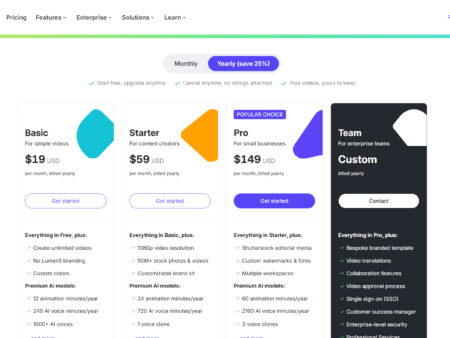
| Competitor | Starting Price | Key Difference |
|---|---|---|
| Fliki AI | $28/month | Prioritizes scheduled, faceless YouTube channels and automated series production. |
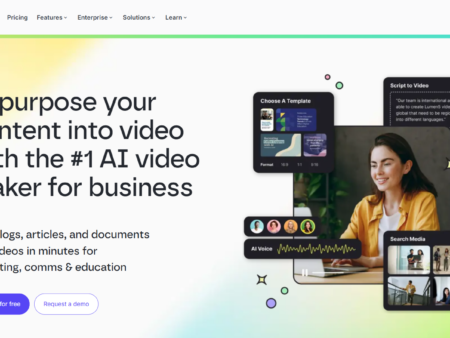
| Lumen5 | $29/month | Built strictly to transform existing corporate documents and blogs into branded slide videos. |
| Pictory AI | $29/month | Focuses heavily on extracting short viral clips from long webinars or zoom calls. |
| Synthesia | $29/month | Specializes entirely in hyper-realistic AI human avatars for corporate training. |
InVideo AI’s pricing model centers on agentic flexibility and professional editing. By charging credits only for generative tasks while leaving timeline editing free, it appeals to creators who want deep manual control after the AI builds a first draft. You are paying for a complete post-production environment hooked up to frontier models.
In contrast, tools like Lumen5 and Pictory AI lean toward template-driven, flat-rate generation where the AI matches stock footage to text. They trade editing depth for pure speed. Synthesia and Fliki AI operate with different philosophies entirely. Synthesia charges for polished avatar minutes, making it highly specific for training videos. Fliki AI limits credits based on automated series generation.
If you just need simple social clips or a talking head, InVideo AI might be overly complex and expensive. But if you require cinematic model access paired with multitrack timeline control, InVideo AI provides tools the cheaper alternatives skip.
So, Is InVideo AI’s Pricing Worth It? My Take.
Evaluating InVideo AI comes down to whether you actually need a non-linear editor merged with an AI generator. The platform is powerful, but it is not an unlimited, one-click magic button. You have to actively manage your credit budget, and the rigid refund policy means you cannot easily back out if you miscalculate.
It is genuinely great for high-output creators, marketing agencies, and media teams who want to mix AI-generated B-roll with their own footage. The fact that professional tools like color grading and 3D compositing are included on the $9 Basic plan makes the baseline software a bargain. If you treat the AI generation as a premium supplement to your manual editing rather than a full replacement, the pricing feels fair.
However, it is a poor fit for casual users who expect to prompt their way to dozens of cinematic videos a month on a cheap plan. Generating 4K clips burns through credits rapidly. If you do not want to monitor consumption limits, you will find this platform frustrating.
Here is the call: Buy the Pro plan if you are a solo creator who needs 1080p outputs and the ability to collaborate with guests. Choose the Team plan if you manage an agency and need a pooled credit workspace for multiple editors. Skip InVideo AI entirely if you want simple, unlimited video generation without actively managing a strict credit budget.
Quick Decision Checklist
- Do you need to generate high-resolution cinematic video? (Basic is limited to Seedance Lite; Pro unlocks 1080p and 4K).
- Are you bringing external clients or freelancers into your projects? (Pro offers 10 free guest seats).
- Do you require dedicated IP ownership and data isolation? (Only the Enterprise plan guarantees models are not trained on your data).
- Can you accurately predict your monthly video output? (Unused credits expire at the end of the billing cycle on standard plans).
Quick Questions You Might Have
Q: Is there a free plan for InVideo AI?
A: InVideo AI’s pricing page lists no free plan, so check their site for any current free options. Paid plans begin at $9/seat/month for Basic.
Q: What happens if I hit my usage limit?
A: If a task requires more credits than you have left in your balance, the internal AI agent will refuse the call and stop. You can top up credits or upgrade your plan mid-cycle to continue.
Q: Does InVideo AI offer refunds?
A: The refund policy is notoriously strict. Support teams frequently deny refunds if you have used any credits during initial experimentation, even if you ask to cancel shortly after subscribing.
Q: Do unused credits roll over to the next month?
A: No. Unused credits expire when your monthly cycle resets. Volume rollover is only available as a custom arrangement on the Enterprise plan.
Q: Do timeline edits consume credits?
A: No. Trimming, splitting clips, rearranging the timeline, and exporting finished videos cost zero credits. You only pay when generating new media or running AI audio tasks.
Q: What is Agent Two?
A: Agent Two is the internal AI system that performs generative tasks. It runs a dry run to report costs before executing any task that spends your credits.
Wrapping It Up: Your InVideo AI Decision
The true value of InVideo AI lies in its hybrid design. You get the raw generation power of frontier AI models combined with a professional, multitrack editor where your time spent cutting and arranging is free. The pricing structure is fair, provided you approach it with a clear understanding of the credit mechanics.
Ultimately, this tool bridges the gap between text-to-video novelty and professional post-production. If you are ready to explore how agentic editing fits into your workflow, start with a monthly Basic subscription to test your actual credit consumption before committing to a larger tier.