
Figuring out software subscriptions often feels like trying to read a menu in a language you do not speak. You just want to know how much you will actually pay to generate professional videos, but instead, you are met with complex credit systems and mysterious usage limits. If you are comparing AI video platforms right now, you are probably asking yourself exactly how much does HeyGen cost, and will it realistically fit into your content budget?
Striking a healthy balance between visual quality and monthly cost is a regular headache for solo creators and corporate teams alike. Nobody wants to commit to a creative tool only to find essential export features hidden behind sudden paywalls. HeyGen pricing starts at an accessible $29/month, which immediately stands out in an industry known for keeping premium AI avatars fully locked behind steep enterprise contracts.
However, understanding the complete HeyGen cost requires looking just beyond that friendly starter tier. Depending on how many digital twins you need to generate, the final video resolution your clients expect, and whether you are working independently or with a large marketing team, those monthly expenses can look very different. In this detailed guide, we are going to break down every single package, evaluate whether the annual discount makes sense for you, and see how this platform stacks up against similar options.
What Is HeyGen Anyway?
When looking closely at HeyGen pricing, it helps to briefly define exactly what you get when you step inside the platform. At its core, HeyGen is an artificial intelligence video generator that creates highly realistic digital avatars from simple user submissions. It replaces the traditional delays of camera setups, studio lighting, and manual editing software with a fully digital production hub where text and audio become polished visual narratives.
Used heavily by YouTubers to quickly produce faceless channel content, the tool is equally popular among corporate HR managers building vast, multilingual onboarding courses. HeyGen allows you to easily transform a dry PDF manual or a static PowerPoint deck into an engaging video presentation in a fraction of the usual production time. Because the AI effectively handles complex lip-synchronization and pacing automatically, you only need to select a digital presenter, drop in your script, and let the software handle the technical rendering.
Why HeyGen Pricing Matters for You
Before committing your credit card to any monthly or annual expense, it helps to outline how this tool specifically aligns with your distinct work habits. Evaluating these service plans is not simply a matter of finding the cheapest subscription on the page; it comes down to matching your content pipeline with the proper limits so you never stall out mid-project. Here is why choosing the right financial fit is so critical:
- You want realistic pricing as a solo creator who might produce a few videos one week and twenty the next, making production volume flexibility a priority.
- You need to forecast long-term corporate value by ensuring advanced tools like training module integration and SCORM compliance actually justify replacing your current video agencies.
- You are operating multiple client marketing packages at once and require scalable language translation features without unexpected overage fees ruining your margins.
- You need to protect your brand identity with custom digital avatars without paying extreme individual licensing fees per presenter.
HeyGen Pricing Plans
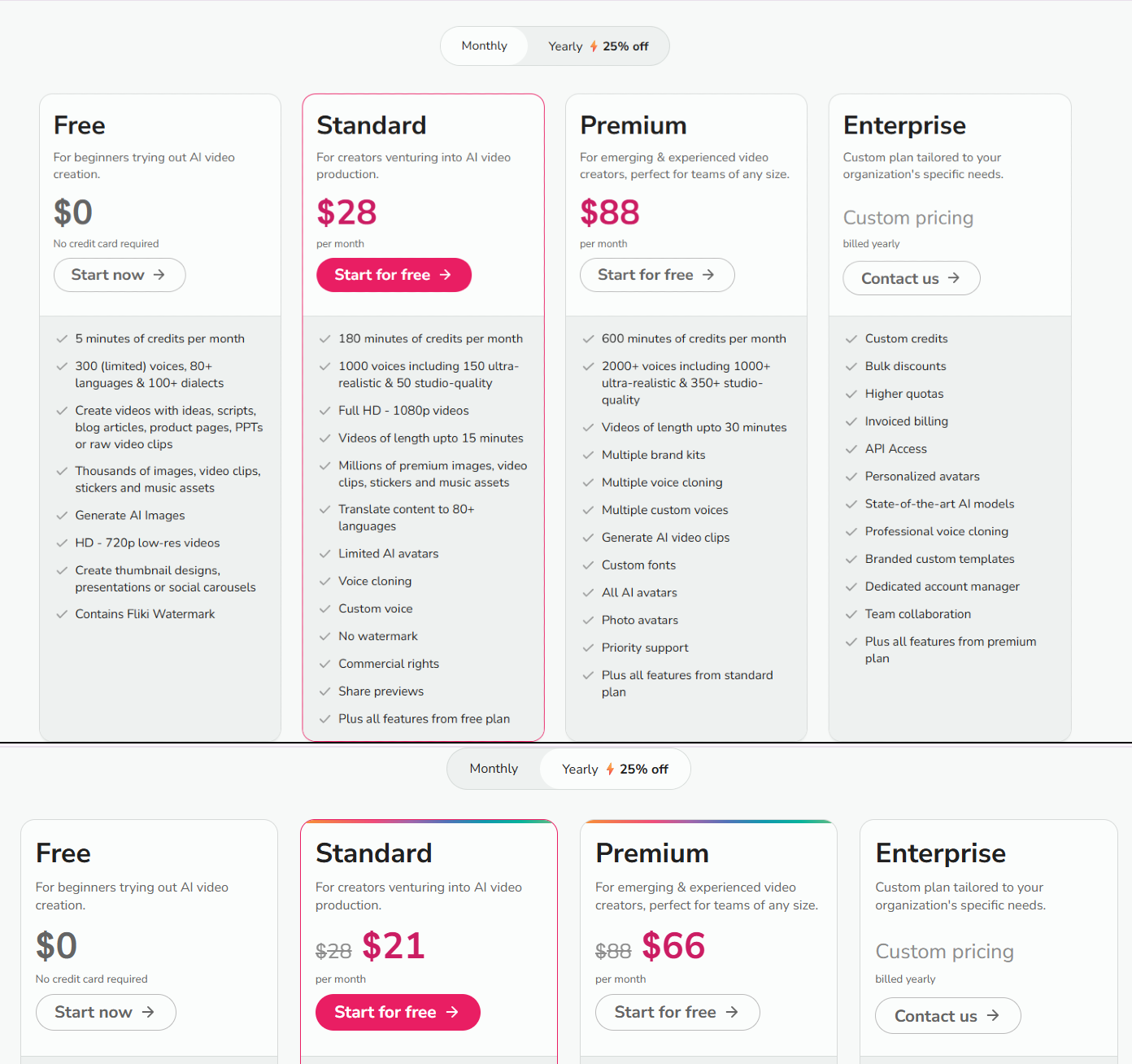
Let’s map out exactly what each HeyGen pricing bracket delivers so you can accurately decide which tier lines up best with your creative demands.
Free
Billed Monthly: $0/month
Billed Annually: Not listed
Annual Savings: Not listed
Features included:
- 3 videos per month
- Videos up to 1 minute
- 1 Custom Digital Twin
- Standard video processing
- 500+ stock photo avatars
- 720p video export
- Share and download videos
- Trial access to premium features: Video generation with Avatar IV, Video creation with Agent, Video Translation with lip sync
- 30+ languages
Limitation: The heavy constraints of 720p maximum resolution and a strict length of sixty seconds effectively rule this tier out for ongoing professional work.
Benefits: This serves as an excellent sandbox environment for producers wanting to test lip-sync accuracy and voice processing before making a real financial commitment.
Creator
Billed Monthly: $29/month
Billed Annually: $24/month (billed annually at $288/year)
Annual Savings: $60/year
Features included:
- Videos up to 30 minutes
- 1 Custom Digital Twin
- Unlimited Photo Avatars
- 700+ Stock Video Avatars
- Voice cloning (unlimited)
- 175+ languages and dialects
- Fast video processing
- 1080p video export
- Brand kit
- Watermark removal
- Save designs as templates
- AI background removal
- Generate Looks, Look Packs, Product Placement
- Custom Voice Emotion
- Motion/Gesture Control
- AI Model Training
- Brand voice (Brand glossary)
- Upload transcription as source
- Access to all premium features: Video generation with Avatar IV, Latest Video Agent model, Video Translation with lip sync, Generate Avatars and Looks, Advanced AI models (image and video)
- Live chat support
Limitation: It completely lacks 4K export functionality and does away with the advanced team collaboration tools found in higher tiers.
Benefits: This is a highly effective entry point for solo creators operating a YouTube shorts channel or managing independent social media accounts who require unlimited short-form video generation.
Pro
Billed Monthly: $99/month
Billed Annually: $79/month (billed annually at $948/year)
Annual Savings: $240/year
Features included:
- Everything in Creator, plus:
- 10x more Premium usage compared to Creator
- Faster video processing
- Edit and proofread translation script
- Switch voice in translations
- 4K video export
- Maximum access to all premium features: Video generation with Avatar IV, Latest Video Agent model, Video Translation with lip sync, Generate Avatars and Looks, Advanced AI models (image and video)
- Early access to new features
- Live chat support
Limitation: You are paying a substantial premium for capacity; if you do not consistently burn through vast amounts of render time each month, this tier may feel overpriced.
Benefits: Perfect for power users and heavy content agencies that demand absolute crispness via 4K video exports and reduced waiting times for frequent rendering tasks.
Business
Billed Monthly: $149/month
Billed Annually: $119/month (billed annually at $1,428/year)
Annual Savings: $360/year
Features included:
- Videos up to 60 minutes (vs. 30 minutes on Creator/Pro)
- 4K video export
- Faster video processing
- Extended video generation with Avatar IV
- 5 Custom Digital Twins (vs. 1 on Creator/Pro)
- 5x more Generative Usage than Creator
- Everything in Creator, plus:
- Edit and proofread translation script
- Scale your brand and centralize assets
- Centralized billing
- Auto-reload credits so you never run out
- Add team members for $20/seat/month
- Workspace collaboration
- Video draft commenting and editing
- Invites and team management
- Tag and assign tasks
- Role controls and content access controls
- Team templates
- Interactive Video (Quizzes, Links, and Branching)
- Screen Recorder
- SCORM Export
- LMS Integrations
- Integrations with n8n, Make, HubSpot, and Zapier
- Live chat support
Limitation: The overall expense climbs relatively fast because you have to add $20 monthly for every single team member you invite to collaborate on top of the base charge.
Benefits: This is effectively mandatory if you are a corporate learning and development manager since it provides interactive course elements, direct SCORM downloads, and centralized approval workflows.
Enterprise
Billed Monthly: Custom Pricing
Billed Annually: Custom Pricing
Annual Savings: Not available
Features included:
- Unlimited videos
- No video duration maximum
- 4K video export
- Fastest video processing
- Extended video generation with Avatar IV
- 10+ Custom Digital Twins
- Everything in Business, plus:
- Multi-workspace control
- Proofreader seats for video translation
- Centrally manage roles and access
- Enterprise-grade security and privacy
- SAML/SSO
- SCIM User Provisioning
- Team Member MFA enforcement
- Password protected URLs
- Audit log
- Commercial terms
- Priority customer support
- Dedicated customer success manager
- Tailored onboarding
- Enterprise Community access
- Invoice billing
Limitation: Because it relies on customized contracts, organizations face a longer procurement phase and must engage directly with sales consultants before access is granted.
Benefits: Highly attractive to vast international corporations that heavily value complex compliance logs, single sign-on security measures, and white-glove onboarding management from a dedicated support rep.
HeyGen Feature Comparison Table
To help you compare all of HeyGen’s pricing packages clearly at a glance, here is a full breakdown of the technical features ordered completely side-by-side.
| Feature | Free $0/month |
Creator $29/month |
Pro $99/month |
Business $149/month |
Enterprise Custom Pricing |
|---|---|---|---|---|---|
| VIDEO CREATION | |||||
| AI studio editor | Full access | Full access | Full access | Full access | Full access |
| Max duration per video | 1 minute | 30 minutes | 30 minutes | 60 minutes | No video duration max |
| Video processing speed | Standard | Fast | Faster | Faster | Fastest |
| Export resolution | 720P | Up to 1080P | Up to 4K | Up to 4K | Up to 4K |
| Video templates | 75+ | 75+ | 75+ | 75+ | 75+ |
| PowerPoint & PDF Imports | ✔️ | ✔️ | ✔️ | ✔️ | ✔️ |
| Audio input | ✔️ | ✔️ | ✔️ | ✔️ | ✔️ |
| Screen recorder | ✔️ | ✔️ | ✔️ | ✔️ | ✔️ |
| Save designs as templates | ✗ | ✔️ | ✔️ | ✔️ | ✔️ |
| Watermark removal | ✗ | ✔️ | ✔️ | ✔️ | ✔️ |
| AI AVATARS & VOICES | |||||
| Stock Video Avatars | 500+ | 700+ | 700+ | 700+ | 700+ |
| Custom Digital Twins | 1 | 1+ | 1+ | 5+ | 10+ |
| Custom Digital Twin Looks | 500 | 500 | 500 | 500 | 500 |
| AI Voice | 1,000+ | 1,000+ | 1,000+ | 1,000+ | 1,000+ |
| Voice Cloning | 1 voice clone | Unlimited | Unlimited | Unlimited | Unlimited |
| Photo Avatars | Up to 3 | Unlimited | Unlimited | Unlimited | Unlimited |
| Avatar IV Gen Minutes | ✔️ | ✔️ | ✔️ | ✔️ | ✔️ |
| Avatar IV max duration per video | 1 minute | 30 minutes | 30 minutes | 30 minutes | 30 minutes |
| Motion / Gesture Control | ✔️ | ✔️ | ✔️ | ✔️ | ✔️ |
| Generate Looks | ✗ | ✔️ | ✔️ | ✔️ | ✔️ |
| AI Model Training | ✗ | ✔️ | ✔️ | ✔️ | ✔️ |
| Look Packs | ✗ | ✔️ | ✔️ | ✔️ | ✔️ |
| Product Placement | ✗ | ✔️ | ✔️ | ✔️ | ✔️ |
| Custom Voice Emotion | ✗ | ✔️ | ✔️ | ✔️ | ✔️ |
| Additional Digital Twins | ✗ | Add-on | Add-on | Add-on | Add-on |
| AI background removal | ✗ | ✔️ | ✔️ | ✔️ | ✔️ |
| VIDEO TRANSLATION & LANGUAGES | |||||
| Max duration per video | 3 minutes | 30 minutes | 30 minutes | 60 minutes | No video duration max |
| Video processing speed | Standard | Fast | Fastest | Faster | Fastest |
| Global Language Suite | 30+ languages | 175 languages & dialects | 175 languages & dialects | 175 languages & dialects | 175 languages & dialects |
| Brand voice (Brand glossary) | ✗ | ✔️ | ✔️ | ✔️ | ✔️ |
| Upload transcription as source | ✗ | ✔️ | ✔️ | ✔️ | ✔️ |
| Edit and proofread translation script | ✗ | ✗ | ✔️ | ✔️ | ✔️ |
| Switch voice | ✗ | ✗ | ✔️ | ✔️ | ✔️ |
| LEARNING & DEVELOPMENT | |||||
| Interactive Video | ✗ | ✗ | ✗ | ✔️ | ✔️ |
| Video Link Embedding | ✗ | ✗ | ✗ | ✔️ | ✔️ |
| Interactive Quizzes | ✗ | ✗ | ✗ | ✔️ | ✔️ |
| Video Branching & Decisioning | ✗ | ✗ | ✗ | ✔️ | ✔️ |
| SCORM Export | ✗ | ✗ | ✗ | ✔️ | ✔️ |
| WORKSPACE & COLLABORATION | |||||
| User seats | 1 | 1 | 1 | 1+ | 1+ |
| Video comments | ✔️ | ✔️ | ✔️ | ✔️ | ✔️ |
| Brand kit | ✗ | ✔️ | ✔️ | ✔️ | ✔️ |
| Video draft collaboration | ✗ | ✗ | ✗ | ✔️ | ✔️ |
| Tag and assign tasks | ✗ | ✗ | ✗ | ✔️ | ✔️ |
| Collaborative workspace | ✗ | ✗ | ✗ | ✔️ | ✔️ |
| Team templates | ✗ | ✗ | ✗ | ✔️ | ✔️ |
| Role controls | ✗ | ✗ | ✗ | ✔️ | ✔️ |
| Content access controls | ✗ | ✗ | ✗ | ✔️ | ✔️ |
| Granular content access controls | ✗ | ✗ | ✗ | ✔️ | ✔️ |
| PRIVACY & SECURITY | |||||
| Multi-factor authentication (MFA) | ✔️ | ✔️ | ✔️ | ✔️ | ✔️ |
| SAML/SSO | ✗ | ✗ | ✗ | ✗ | ✔️ |
| SCIM | ✗ | ✗ | ✗ | ✗ | ✔️ |
| Password protected URLs | ✗ | ✗ | ✗ | ✗ | ✔️ |
| Audit log | ✗ | ✗ | ✗ | ✗ | ✔️ |
| Team Member 2FA Enforcement | ✗ | ✗ | ✗ | ✗ | ✔️ |
| SUPPORT & RESOURCES | |||||
| Live chat support | ✗ | ✔️ | ✔️ | ✔️ | ✔️ |
Monthly vs. Annual Billing: Saving Money
Making a decision on standard billing structures often comes down to balancing short-term spending risk against straightforward long-term savings. When you opt to pay for HeyGen on a monthly basis, you preserve maximum flexibility. This route is typically best for seasonal agencies or freelancers wrapping up temporary projects who might want to pause their subscription if their client work dries up for the season.
On the other hand, transitioning to an annual commitment generates measurable cost benefits across every paid tier. If you consistently produce video content, paying upfront secures a notable roughly 17 to 20 percent discount. For instance, putting the Creator plan on an annual invoice shaves $60 off your yearly total right away. If you require vast rendering horsepower, stepping up to the Pro annual plan results in $240 of savings over twelve months.
For corporate marketing departments operating at scale, the savings become a fairly useful asset. The Business plan’s annual option quietly preserves $360 a year just by committing in advance. When considering your typical HeyGen cost, you must weigh whether preserving cash flow right now outweighs those fairly steep aggregate savings down the road.
HeyGen Pricing vs Competitors
To really appreciate the total proposition on offer, it is useful to examine where HeyGen cost roughly sits compared to viable alternatives in the exact same software category.
- Synthesia: Starts at a slightly lower entry price of $18/month, but advanced creator features quickly scale to $89/month. The key distinguishing factor is that Synthesia traditionally leans heavily into enterprise-grade compliance formats and charges notable supplementary fees (often $83 or more per month) just for customizing personal avatars. It arguably represents stronger security posturing for highly regulated enterprises, but usually runs pricier for high-volume, independent users.
- Colossyan: Runs roughly $19/month when committing to an annual approach. The defining difference here is their built-in dedication to interactive video learning elements like internal branching quizzes provided on much lower tiers. While it struggles to match HeyGen’s massive avatar library and sheer volume of supported languages, it delivers strong value for pure instructional designers building employee training modules safely on a budget.
- Runway: Starting prices are not available via standard public disclosure compared here. Unlike the heavy talking-head focus of other tools, Runway centers heavily on generating cinematic B-roll materials and performing intricate visual timeline editing. This tool appeals heavily to independent filmmakers adding visual flair, making it less of a direct competitor for creating standard talking educational narratives.
- Elai.io and Arcads: Available starting around $23 to $27/month. They represent lower-cost entry avenues that intentionally clip off top-tier luxury features to remain highly affordable. These platforms generally field smaller pools of stock avatars and lack some of the intensive translation polish but still provide decent, functioning value if you simply need to build modest volume presentation clips without demanding massive 4k production budgets.
So, Is HeyGen’s Pricing Worth It? My Take.
Evaluating if HeyGen pricing works out effectively to be a worthy investment really requires looking at precisely who uses it and how often. The entry point is impressively reasonable for individuals, allowing you to bypass typical early-stage video equipment investments entirely. Having investigated the sheer span of technical capability it offers alongside user flexibility, I consider the plans uniquely balanced for mid-market users.
For individuals heavily engaged in content generation, standard subscription fees look quite small compared to replacing even one traditional production shoot. If you are generating three to four polished 1080p outputs each week on the regular Creator plan, the effective cost per video shrinks into the cents. When you care predominantly about rapid language expansion, the inclusion of 175 language translations securely without demanding a per-minute translation surcharge elsewhere acts as a major financial relief lever for marketers chasing international viewers.
At the corporate team level, the software’s broader value materializes mainly through workflow simplification, not necessarily low server rendering costs. The baseline fee here feels appropriately positioned when you consider the pain it removes inside a standard learning and development department. Moving away from manually recording onboarding instructions toward rapidly tweaking text scripts while maintaining SCORM LMS integrations genuinely saves vast hours of labor.
However, users looking purely for high-fidelity cinematic scene construction might feel let down by the talking-avatar central workflow and should investigate alternative editing hubs. If you are only ever going to export two modest videos a month, securing a heavy annual subscription likely represents slight technological overkill. Overall, ensuring you assess realistic monthly production goals before jumping between levels is the smartest way forward.
Quick Questions You Might Have
Before you commit to a subscription term, it routinely helps to address the minor practicalities regarding payments and capacity management directly.
Does HeyGen offer a free trial?
Yes, the platform maintains a fully capable free tier costing $0/month. It offers up to three one-minute videos total, allowing you real trial access to translation mechanisms and upper-level Avatar rendering styles, serving cleanly as an evaluation platform without requiring a credit card.
Are there restrictions on how long my videos can be?
There are distinct export caps applied directly to your tier. A user on the free package is tightly limited to sixty seconds per render. Both Creator and Pro boundaries sit safely at thirty minutes per video, while the corporate Business plan safely expands single video render capacity up to sixty unbroken minutes.
What exactly happens if I need an additional custom avatar later on?
You definitely do not need to upgrade your entire broader subscription plan just to add variety. For the Creator, Pro, and Business levels specifically, extra digital twins are handily available as direct add-on purchases to modify your limits without causing broad pricing disruption.
Do I get 4k resolution natively across the board?
No, the lower standard pricing plans stick safely to 1080p definition formats. If you expressly demand 4k crystal clear resolution outputs for sophisticated television or pristine YouTube presentations, you are required to invest strictly in the Pro, Business, or Enterprise tiers.
Is there specialized customer support for the platform?
The standard free bracket is intended simply for testing and lacks human assistance. However, all standard paid brackets gain functional live chat capability for rapid issue checks. For truly complex onboarding queries and rapid response times, only the dedicated Enterprise bracket secures an assigned customer success manager.
Wrapping It Up: Your HeyGen Decision
Finding clarity around HeyGen pricing mainly involves estimating your true video volume before locking in a subscription bracket. You do not just pay for avatar access here; you invariably pay for smooth operational efficiency, technical translation breadth, and rapid editing velocity. Because the platform eliminates entire departments of traditional filming labor cleanly ranging from basic voiceovers through physical studio booking, the financial justification often quickly sorts itself out on a spreadsheet.
If you remain predominantly an independent producer focused firmly on short-form material across social media engines, resting on the straightforward Creator plan genuinely offers an impressive return on minimal investment. Conversely, if you are attempting to standardize widespread company training modules accurately across several regional dialects globally, preparing a Business subscription neatly offsets vast physical video reshoot expenses.
Whether you are piecing together an intimate personal workflow or rolling out brand resources safely at scale, evaluating these exact service barriers correctly prevents costly early software headaches. Try testing the rendering styles manually in the free sandbox today securely, figure out your ideal corporate outputs properly, and subsequently upgrade only according to your own functional demands.